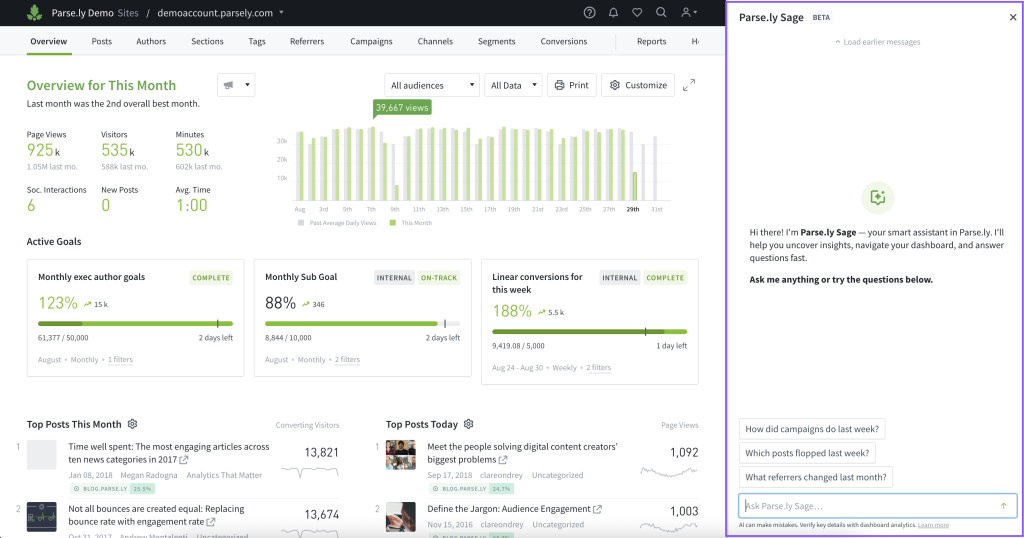
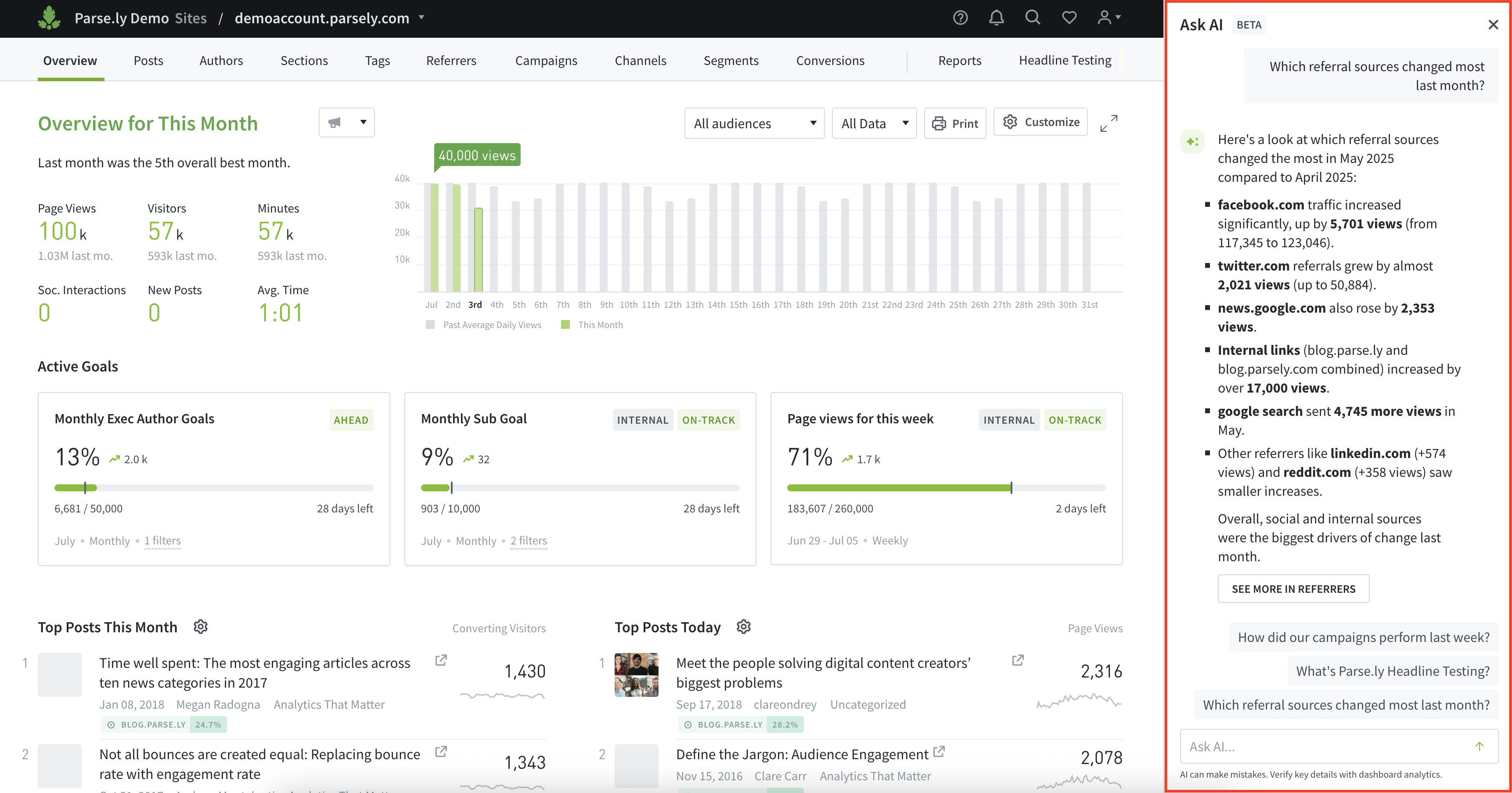
We’ve renamed our AI-powered assistant to Parse.ly Sage! Along with the new name, we’ve made several improvements to make the feature even more helpful.
Parse.ly Sage now offers:
Better support for queries about conversion labels
Improved handling of recirculation rate questions
More accurate year-on-year comparisons
The ability to contact support directly from the chat interface
Improvements & Bug Fixes:
Slack and email notifications for headline test and optimization completions have been updated to make it easier to understand the results and take action quickly.
The selected timeframe has been re-added to the titles of listings on the Overview page, making it easier to understand the context of the data you’re viewing.
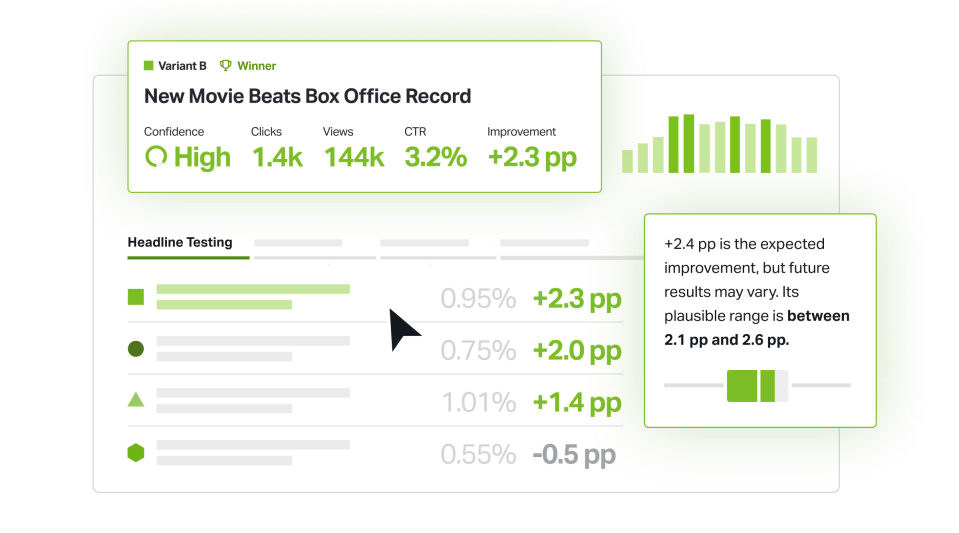
Parse.ly’s Headline Testing & Optimization feature is now officially out of beta after months of development, refinement, and valuable feedback from users like you. The release includes improved algorithms for determining winners, more intelligent optimization powered by AI, and many other enhancements to streamline testing and boost results.
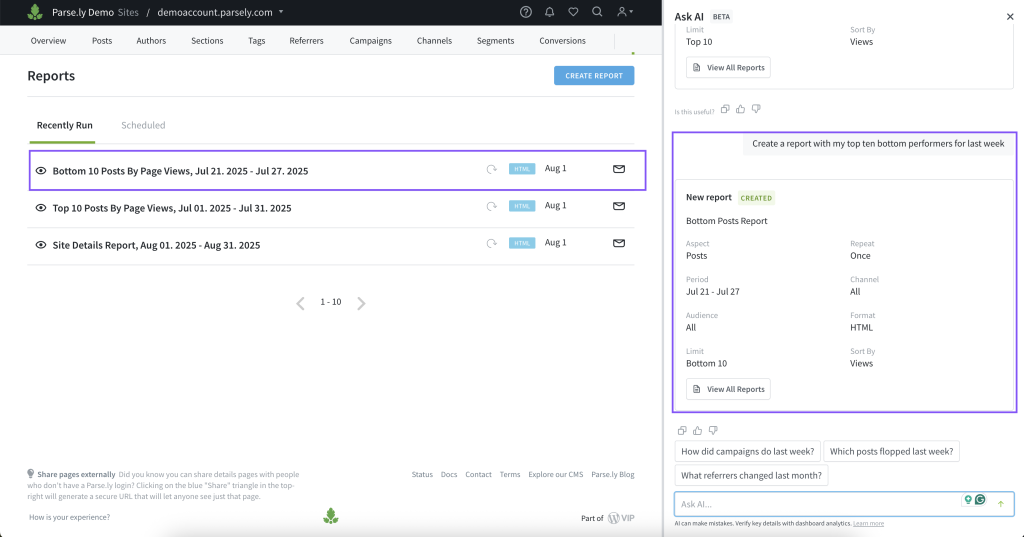
AI Assist now supports generating top and bottom performer reports and exporting top performer data, all using plain language. This makes it even easier to get the insights you need without navigating through multiple steps.
Better Tag Filtering
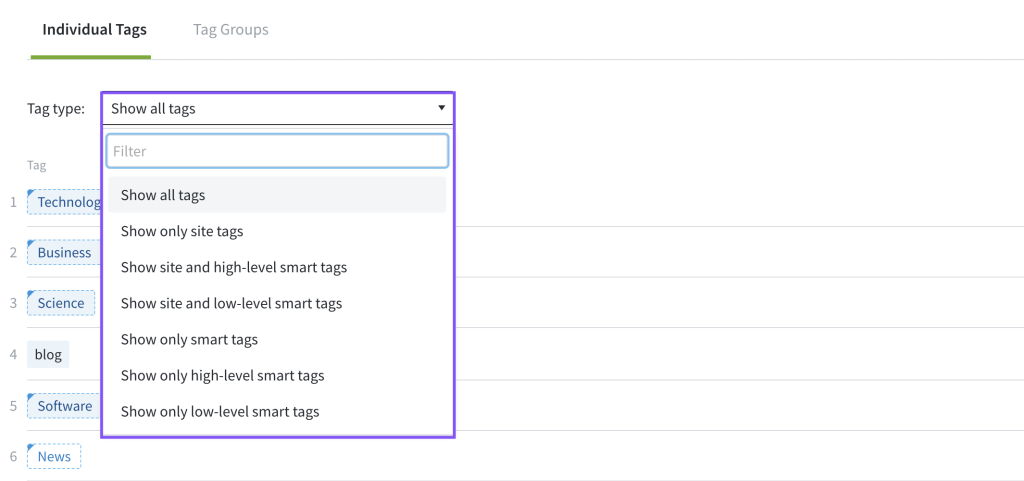
Parse.ly has enhanced tag filtering to make it easier to focus on specific categories of tags or smart tags. You can now filter to view:
Only smart tags (high-level or low-level)
Only site tags
Any combination of smart and site tags
All tags together
This gives you greater control and precision when analyzing content with tags.
Improvements & Bug Fixes:
A new confidence column has been added to the headline test detail page, helping you quickly understand the likelihood of a headline variant outperforming the others. Learn how to interpret headline testing results.
The improvement column in the headline test detail page now shows the lift in conversion rate, measured in percentage points, between a variant and the control headline, making performance comparisons clearer.
Parse.ly AI Assist now displays a wider variety of suggested queries to help you discover insights and get the most out of your data.
AI Assist has been improved to support chatting with your data across networks and site groups. You can now get insights that span multiple sites, saving you the time and effort of checking each site individually.
Flexible Width for AI Assist Panel
You can now resize the width of the AI Assist panel for a more comfortable viewing experience. Just drag the panel to adjust its size as needed.
Improvements & Bug Fixes:
The variant count on headline test cards is now consistent with what appears on the test detail page.
Resolved an issue where GSC listings failed to load in the Overview listings section.
Fixed a broken layout issue when viewing the breakdown of keywords.
Introducing AI Assist: Faster Answers, Advanced Insights
We’re excited to introduce AI Assist, a highly intelligent, chatbot-powered feature in the Parse.ly dashboard that turns your questions into instant insights. Simply ask in plain English, whether it’s “What were our top posts yesterday?” or “Why did traffic spike on June 25?” and AI Assist will answer your question and route you straight to the right page in the dashboard to dig in further.
Note: This feature is available to all Parse.ly customers by request only. To enable it for your site, please contact support@parsely.com.
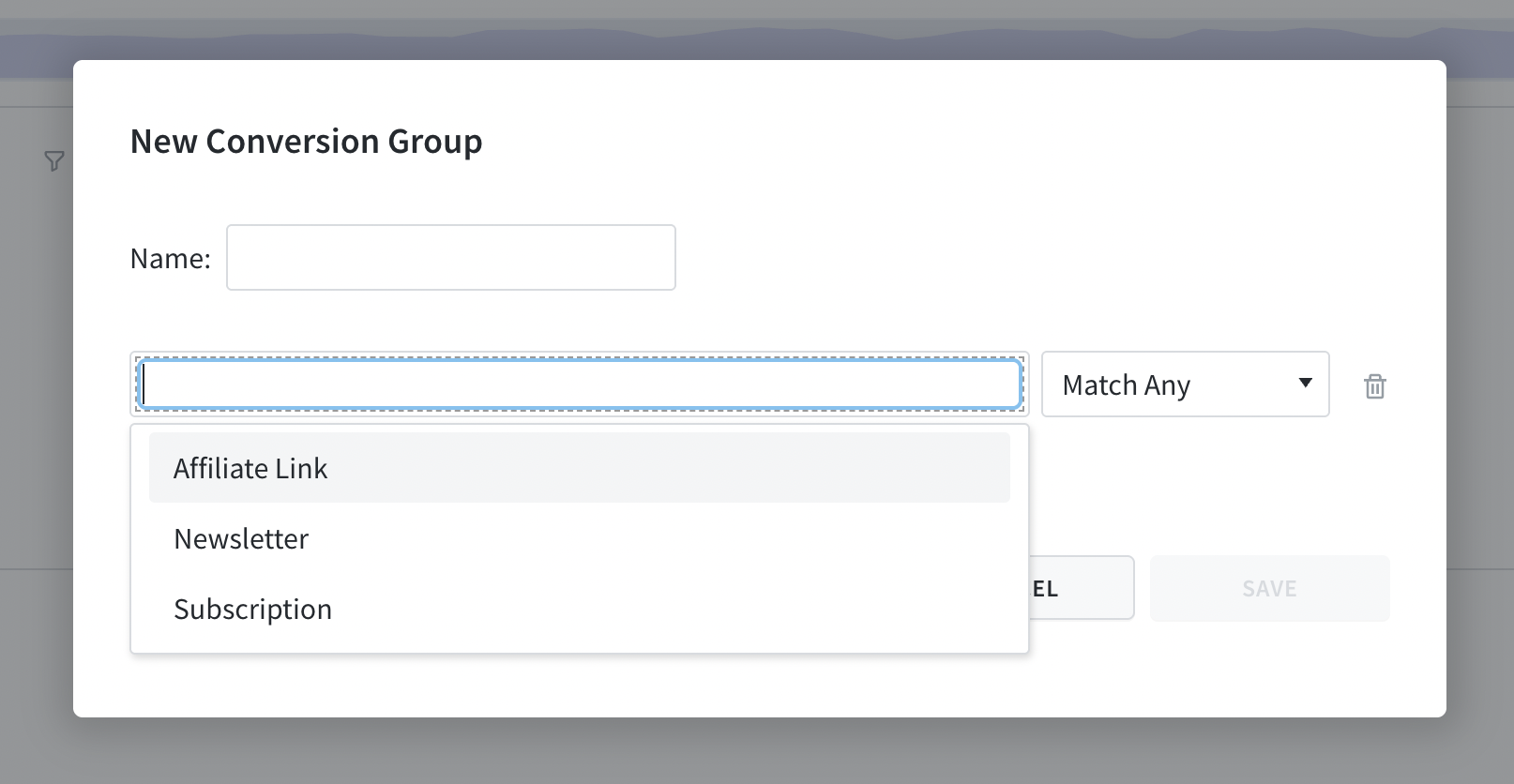
You can now group multiple conversion labels directly in the dashboard. Conversion groups make it easier to evaluate performance across multiple conversion labels that represent similar reader activities.
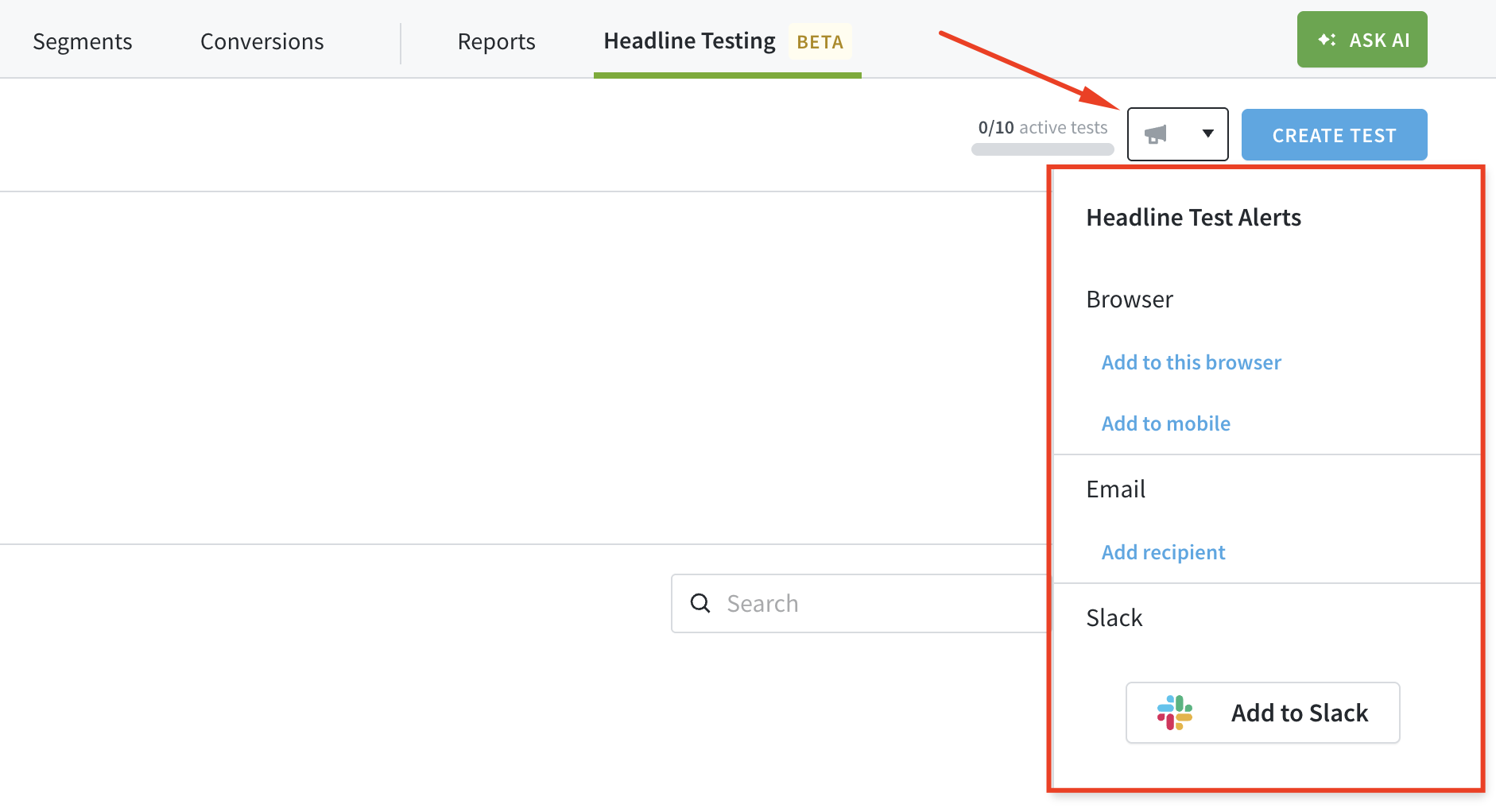
You can now receive alerts via email, browser, phone, or Slack when your headline tests and optimizations end, keeping you up to date on test outcomes.
Improvements & Bug Fixes:
A headline test control headline will now return to a locked state when restored.
You can now export your headline test and optimization data to a CSV or JSON file.
The account page has been redesigned, and the Billing menu item now redirects to it.
The notifications panel in the dashboard has been redesigned to make alerts and notifications easier to view.
Fixed an issue where editing the control headline also changed the title of the headline test.
Resolved an issue that prevented past goals from loading properly in the dashboard.
You can now filter headline tests by the user who created them, making it easier to quickly find tests relevant to a specific author.
Read-Only Permissions for Headline Testing & Optimization
It’s now possible to assign read-only access to users, allowing them to view headline tests without being able to create or edit them. Read more here.
Other Headline Testing & Optimization Improvements:
The modal for selecting a post when starting a headline test has been updated to help you easily identify which posts have ongoing or completed tests, along with additional metadata for better context.
The winning headline will now appear exactly as it was created, preserving its original formatting instead of applying default capitalization.
Search and Filtering Added to Headline Testing & Optimization
If you manage multiple headline tests or optimizations, you can now search, filter, and sort to quickly find the tests you’re looking for, making the experience faster and more organized.
Save Headline Tests & Optimizations as Drafts
You can now save headline tests and optimizations as drafts if you’re not ready to launch immediately. Start when you’re ready and return later to continue editing.
Other Headline Testing & Optimization Improvements:
You can now view additional metadata such as start and end dates, number of variants, and test duration just below the test title.
The chart on a headline test detail page has been repositioned just below the aggregated results for better context.
You’ll now get a notification if two variants are duplicates, helping you clean up and differentiate your tests.
The issue where the Headline Testing menu in the top bar was difficult to locate on some devices has been resolved.
Improvements & Bug Fixes:
The Parse.ly Usage page in the dashboard has been redesigned to include Users and Reports on the same page, now organized as tabs.
We’ve added pagination to the Goals feature and updated the limits, making it easier to find and manage your goals.
Resolved an issue where filters such as aspects and periods couldn’t be applied when creating a scheduled report.
You will no longer see GSC data at the network level until full support for network-wide GSC data is available.
AI can be helpful in many ways, and now, you can use it to generate headline ideas for your tests and optimization. This feature helps you save time and spark inspiration when launching new headline tests. This feature is available by request only. To enable it for your site, please contact support@parsely.com.
Edit the Control Headline
You can now edit the control headline, the main headline shown on your site and in your CMS when creating headline tests and optimization. This gives you greater flexibility to fine-tune tests and improve performance. This feature is also available by request. Contact support@parsely.com to have it enabled for your site.
Related Improvements & Bug Fixes:
The Evolution section of a headline test now displays time series data in the publisher’s local time zone, for more relevant analysis.
Click-through rate (CTR) results now show a more accurate value, helping you more confidently identify the winning headline.
Users without the correct permissions to create a headline test will no longer see the “Create Test” button, reducing confusion.
The headline test detail page now displays the name of the user who created the test, improving visibility and accountability.
You’ll now see a confirmation modal before ending a headline test, helping prevent accidental test termination.
The Path filter now supports excluding specific paths and allows you to use multiple paths in a single filter. This provides you with more flexibility to target specific posts when analyzing your content performance.
Control Who Can Manage Headline Tests
You can now control which team members have permission to create or end headline tests. While all users can view the overview and individual headline tests, only selected users can actively manage them. Learn more about headline testing and optimization permissions here.
Improvements & Bug Fixes:
We’ve improved parts of the headline testing and optimization interface. We now show data for the entire experiment on each test card, not just the winning variant.
Fixed an issue where an error page appeared when using the dashboard’s search feature.
Resolved an issue where the channels view for video was showing zero views despite actual traffic.