User options
The user options menu, accessible at the far right of the top bar of the Parse.ly Dashboard, enables management of individual user settings, such as account settings, shared links, saved views, light/dark theme settings, and more.
Need to add additional users? Admins can invite new users from the site settings menu.
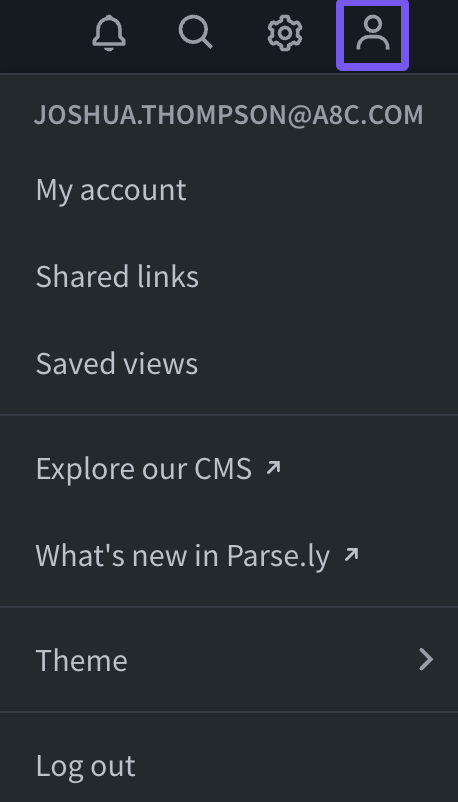
Account settings: View your user permissions, account admins, and billing information, and change your account password if needed.
Shared links: See a list of Dashboard links that were created to share with others, including those without a user account.
Saved views: See a list of saved views, including those you’ve shared and those that teammates shared with you. You can also open your saved views in one click from Favorites in the navigation bar.
Explore our CMS: Learn more about the WordPress VIP content management system.
What’s new in Parse.ly: View our latest product updates.
Theme: Set a color theme for your Dashboard: automatic (based on your system’s setting), light, or dark. Screenshots throughout Parse.ly documentation reflect a mix of light and dark settings.
Log Out: Sign out of your Dashboard user account. This is sometimes recommended when troubleshooting access issues.
Last updated: October 22, 2026