Skip to content

Parse.ly Product & Support Updates

  • Product update: Exports to include new referrer categories

    Parse.ly will expand data exports to include the Aggregators and AI referrer categories introduced in the Referrer Dashboard refresh. This update will ensure consistent, complete data across your exports and dashboard views.

    The new columns will appear in reports run beginning 15:00 UTC on Tuesday, Nov. 18.


    What’s new

    • New referrer categories in exports
      Exported data now includes Aggregator and AI referrer categories, matching what appears in the dashboard.
    • Improved data consistency
      The referrer categories in CSV and API exports now align with the categories shown in your Referrers tabs and reports.
    • Note to users importing Stats Over Time CSV files
      The Aggregators and AI columns will be added to the CSV exports, following the Social refs column. If you are relying on a specific column order for data imports, note the changes that will occur with this update.
    Before
    After
  • New feature release: Configure headline testing in the Parse.ly WordPress plugin

    We’re excited to announce that you can now inject and configure the required JavaScript snippet for Parse.ly Headline Testing directly from your WordPress Admin area. This update to the Parse.ly Plugin helps your team set up and manage headline testing without manually injecting scripts.

    This functionality is available beginning with version 3.21.0 of the plugin.

    Why it matters

    Until now, setting up Parse.ly Headline Testing required manually inserting JavaScript snippets. This new update removes that friction—helping teams experiment faster, learn what resonates with readers, and continuously improve engagement with less setup time.

    Whether your site publishes breaking news or evergreen content, Headline Testing helps your editors make data-driven decisions that boost performance.

    What’s included

    • Headline Testing Configuration: Enable or disable Parse.ly Headline Testing directly in your WordPress Admin.
    • One-line Script Injection: Automatically adds the Parse.ly Headline Testing script (https://experiments.parsely.com/vip-experiments.js)—no manual code required.
    • Advanced Installation Option: Inline headline testing logic for developers who need deeper control.
    • Flicker Control: Reduce visual flicker when swapping headlines (available with Advanced Installation).
    • Live Updates: Automatically refresh headline variations on infinite-scroll or dynamically loaded pages.
    • Granular Settings: Adjust Live Update Timeout and control behavior after page load.

    For now, experiments themselves still need to be created and managed directly from the Parse.ly Dashboard. We’re actively exploring ways to bring full experiment management directly into WordPress in a future update.

    Get started

    To configure Headline Testing:

    1. In your WordPress Admin sidebar, go to Parse.ly → Settings.
    2. Select the Headline Testing tab.
    3. Choose your preferred installation method and configuration options.
    4. Click Save Changes

    For best results, use the One-line Snippet method unless your site uses custom caching or rendering logic. Visit your homepage’s source code to confirm the headline testing script is injected correctly.

    For detailed documentation, see the Parse.ly Plugin Headline Testing Documentation.

  • Referrer page refresh and real-time Google Discover

    Parse.ly has released important improvements to referral traffic, especially from Google. These updates will make it easier to distinguish between Google Search and Google Discover, track emerging referral patterns and react quickly to traffic spikes.

    What’s new

    • The Referrers page (located within the Traffic menu) will split real-time Google traffic into two sources: Google Search and Google Discover.
    • The Referrers page will include tabs for overview, categories and groups to better organize traffic insights.
    • The Referrer Groups tab will include two new groups that preserve historical consistency with previous tracking:
      • Google (Discover & Search): combines Google Search and Google Discover, maintaining the same aggregate view of Google traffic used before this update.
      • Legacy Search Referrers: Contains all sources that were included in the Search referrer category prior to October 15, 2025.
    • The Referrers page will include new referrer categories for Aggregators and AI referrals.
    • The Referrers categories tab will include a new stacked chart to showcase referrer category trends over time.

    Why this matters

    • You will be able to take advantage of trending stories and spikes from Google Discover as they happen.
    • You will have a clearer view of shifting traffic patterns over time.
  • Product update: October 3, 2025

    Overlay improvements

    Parse.ly has released important updates to the Overlay that include:

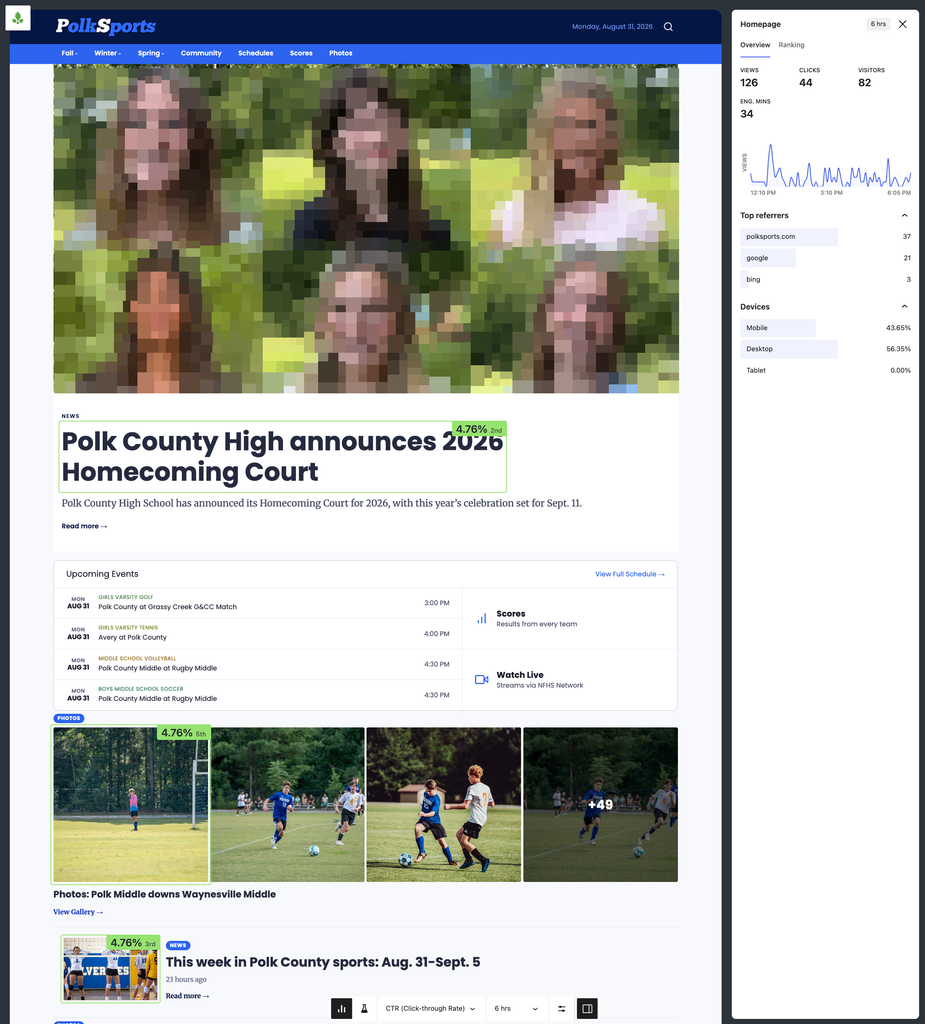
    • New color scale: The Overlay now uses a refreshed color scale, moving from purple to light green. Purple represents the lowest performance values, while light green represents the highest, making it easier to interpret differences at a glance.
    • More accurate metric labels: The metric label now uses “percentage points (pp)” to reflect absolute change, rather than suggesting relative change. For example, an increase from 2% to 10% click-through rate will display as +8pp.
    • Flexible comparison ranges: Previously, comparisons were fixed to 10 minutes vs. a six-day average. You can now select your own windows, such as two hours vs. five days, and compare against the same period in the past. Past-period comparisons can range from one day to one month, making it easier to evaluate performance in different publishing cycles. A new five-minute data view also allows teams to monitor changes as they happen.
    • Badge size metric: For teams using Overlay in fullscreen mode, a new option lets you enlarge metrics for easier viewing.

    These updates are a direct response to customer requests. Please keep the feedback coming as the team continues working on a complete overhaul to the Overlay experience. Stay tuned.

    Improvements & Bug Fixes

    • The issue where Path filters were not being applied in Goals has been resolved.
    • The save button in Goal creation is now disabled when ‘0’ is entered as the goal number, preventing the creation of unnecessary goals.
    • Switching between Pulse and Historical views should now behave correctly, and the graph will no longer block you from changing the date range on some listing pages.
  • Navigate faster: Parse.ly dashboard offers quick access to favorite features

    Parse.ly dashboard navigation has been streamlined to make it faster and easier to access favorite features. The updated navigation includes collapsible menus that organize related features for a more intuitive experience.

    Key improvements:

    • Streamlined navigation: Related features are organized into collapsible menus for a more intuitive experience. 
    • Quick access to essentials: Goals and Google Search Console are in the main navigation for faster access.
    • Improved saved views:
      • Recently accessed views appear in the dropdown for quick selection.
      • Mark your most-used menu items as favorites for instant access.
      • Manage all saved views from a new dedicated page.
    • Mobile-optimized: The navigation is responsive, allowing a seamless and consistent experience across devices. 
    • New feature highlights: New menu items are highlighted to visually remind you of the new features we’ve added.
    • Enhanced design: Fresh styling for alerts, notifications, and menu elements.
  • Product update: September 25, 2025

    Posts Count Added to Goals Tracking

    You can now track the number of posts published in a given period using Parse.ly Goals. This makes it easier to see if you’re meeting your publishing targets.

    Improvements & Bug Fixes:

    • Historical charts on the Overview listings now display as a bar chart in historical mode and as a line chart in pulse mode.
    • An issue where campaign filters were being reset after a few seconds in the pulse mode of the Conversion page has been fixed.
    • The bar showing the percentage breakdown of channels on the Channels page should now display correctly.
    • An issue affecting Google Search Console (GSC) exports has been resolved, and exports should now work as expected.
  • Introducing the Parse.ly Support AI Agent: Quick support at your fingertips

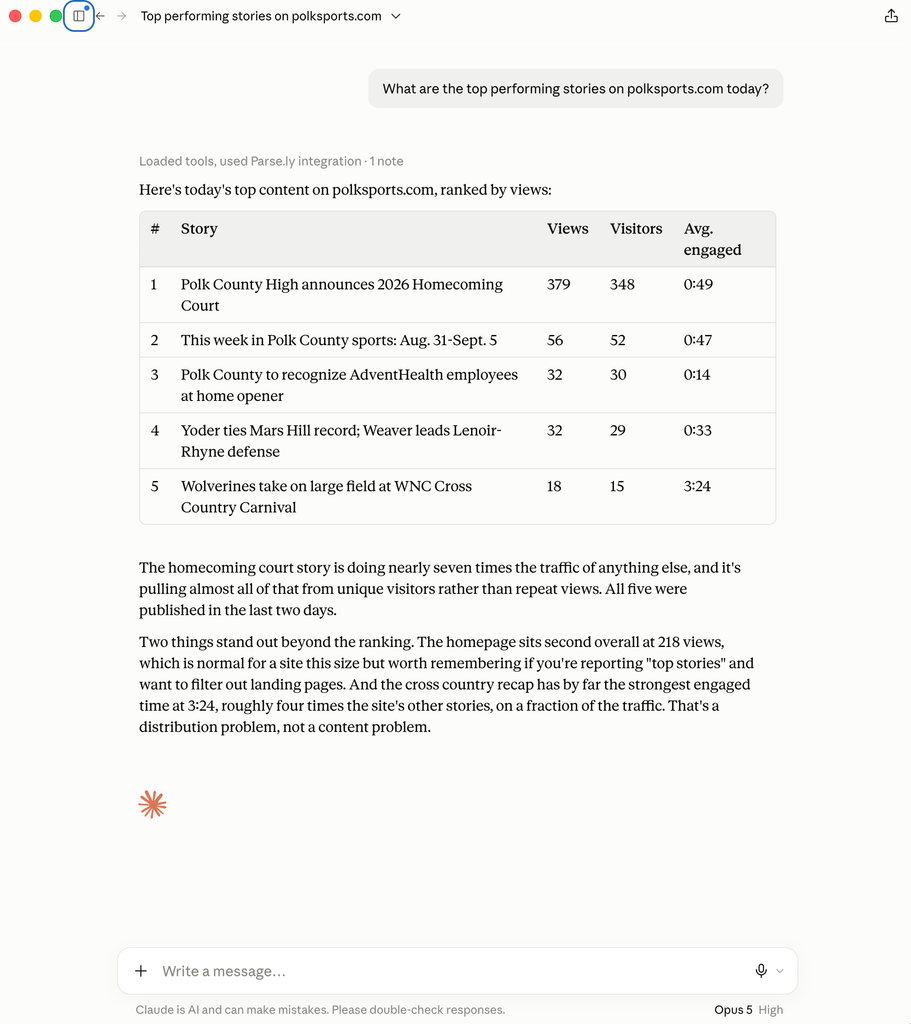
    Parse.ly users can now access the Parse.ly Support AI Agent, available within the docs.parse.ly public website.

    The Parse.ly Support AI Agent is trained on the public Parse.ly documentation pages as well as a few other helpful resources. It’s designed to quickly surface relevant guidance, so you can find answers to your issues without having to search or wait for a reply.

    Assists with answering questions: The Parse.ly AI Agent will answer your questions where a clear, documented solution already exists in Parse.ly docs, including, for example:

    • How do I add or configure the Parse.ly tracking code on my site?
    • How can I measure the performance of my content or authors in Parse.ly?
    • How do I create dashboards and reports in Parse.ly?

    Opens tickets for you: If you aren’t able to find the right answer in a conversation with the bot or need additional help, you can convert that bot conversation into a support ticket at any time. Simply type or click “Contact Support” and add your details within the form.

    Giving Feedback
    The Parse.ly Agent is part of our broader investment in making support faster and more accessible to our customers.

    Feedback is important. If you have feedback based on your experience, please click the small star ☆ at the top of the Parse.ly Support AI Agent to encourage feedback.

    We’ll continue to tune and improve the AI Agent based on your feedback.

  • Product update: August 14, 2025

    Parse.ly’s AI Assist Is Now Parse.ly Sage

    We’ve renamed our AI-powered assistant to Parse.ly Sage! Along with the new name, we’ve made several improvements to make the feature even more helpful.

    Parse.ly Sage now offers:

    • Better support for queries about conversion labels
    • Improved handling of recirculation rate questions
    • More accurate year-on-year comparisons
    • The ability to contact support directly from the chat interface

    Improvements & Bug Fixes:

    • Slack and email notifications for headline test and optimization completions have been updated to make it easier to understand the results and take action quickly.
    • The selected timeframe has been re-added to the titles of listings on the Overview page, making it easier to understand the context of the data you’re viewing.
  • Product update: July 31, 2025

    Headline Testing & Optimization Is Out of Beta!

    Parse.ly’s Headline Testing & Optimization feature is now officially out of beta after months of development, refinement, and valuable feedback from users like you. The release includes improved algorithms for determining winners, more intelligent optimization powered by AI, and many other enhancements to streamline testing and boost results.

    Learn more about the launch here.

    Create Reports or Exports Using Natural Language

    AI Assist now supports generating top and bottom performer reports and exporting top performer data, all using plain language. This makes it even easier to get the insights you need without navigating through multiple steps.

    Better Tag Filtering

    Parse.ly has enhanced tag filtering to make it easier to focus on specific categories of tags or smart tags. You can now filter to view:

    • Only smart tags (high-level or low-level)
    • Only site tags
    • Any combination of smart and site tags
    • All tags together

    This gives you greater control and precision when analyzing content with tags.

    Improvements & Bug Fixes:

    • A new confidence column has been added to the headline test detail page, helping you quickly understand the likelihood of a headline variant outperforming the others. Learn how to interpret headline testing results.
    • The improvement column in the headline test detail page now shows the lift in conversion rate, measured in percentage points, between a variant and the control headline, making performance comparisons clearer.
    • Parse.ly AI Assist now displays a wider variety of suggested queries to help you discover insights and get the most out of your data.
  • Product update: July 16, 2025

    AI Assist now Supports Networks and Site Groups

    AI Assist has been improved to support chatting with your data across networks and site groups. You can now get insights that span multiple sites, saving you the time and effort of checking each site individually.

    Flexible Width for AI Assist Panel

    You can now resize the width of the AI Assist panel for a more comfortable viewing experience. Just drag the panel to adjust its size as needed.

    Improvements & Bug Fixes:

    • The variant count on headline test cards is now consistent with what appears on the test detail page.
    • Resolved an issue where GSC listings failed to load in the Overview listings section.
    • Fixed a broken layout issue when viewing the breakdown of keywords.

Last updated: November 12, 2025