Referrers page
The Referrers page of the Parse.ly Dashboard offers insights on how audiences are finding your content. It contains three tabs: Overview, Categories, and Groups. Referrers are broken into seven primary categories: Social, Search, Aggregator, AI, Other, Internal, and Direct. Individual referrers can also be saved into custom referrer groups. You can find the referrers page in the sources menu of the navigation bar.
Learn more about navigating Pulse and Historical views, plus how to filter Dashboard pages like Referrers:
Referrer overview tab
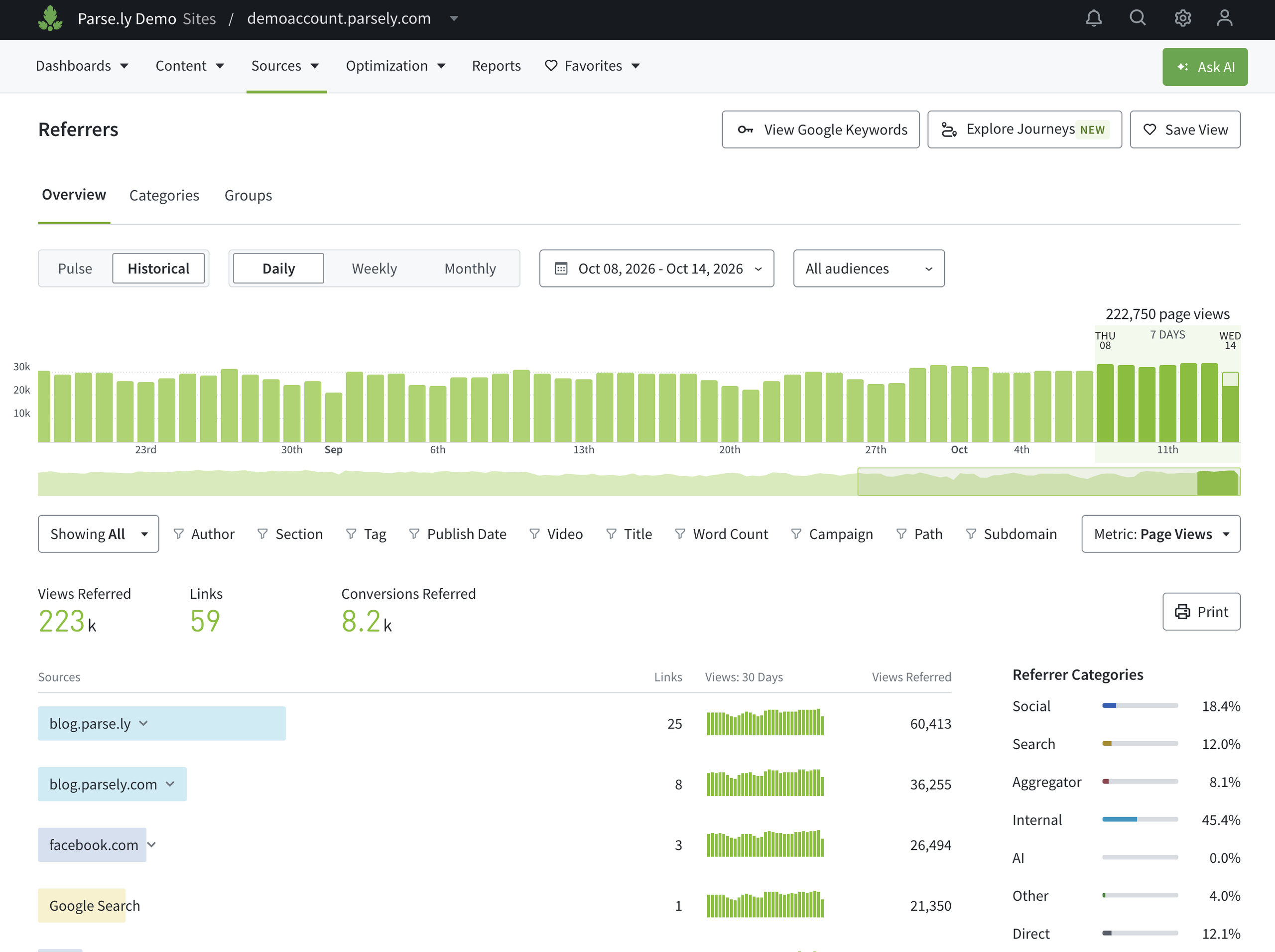
The Overview provides a list of the top referring domains, color-coded to indicate the category for each referrer.
Referrer categories tab
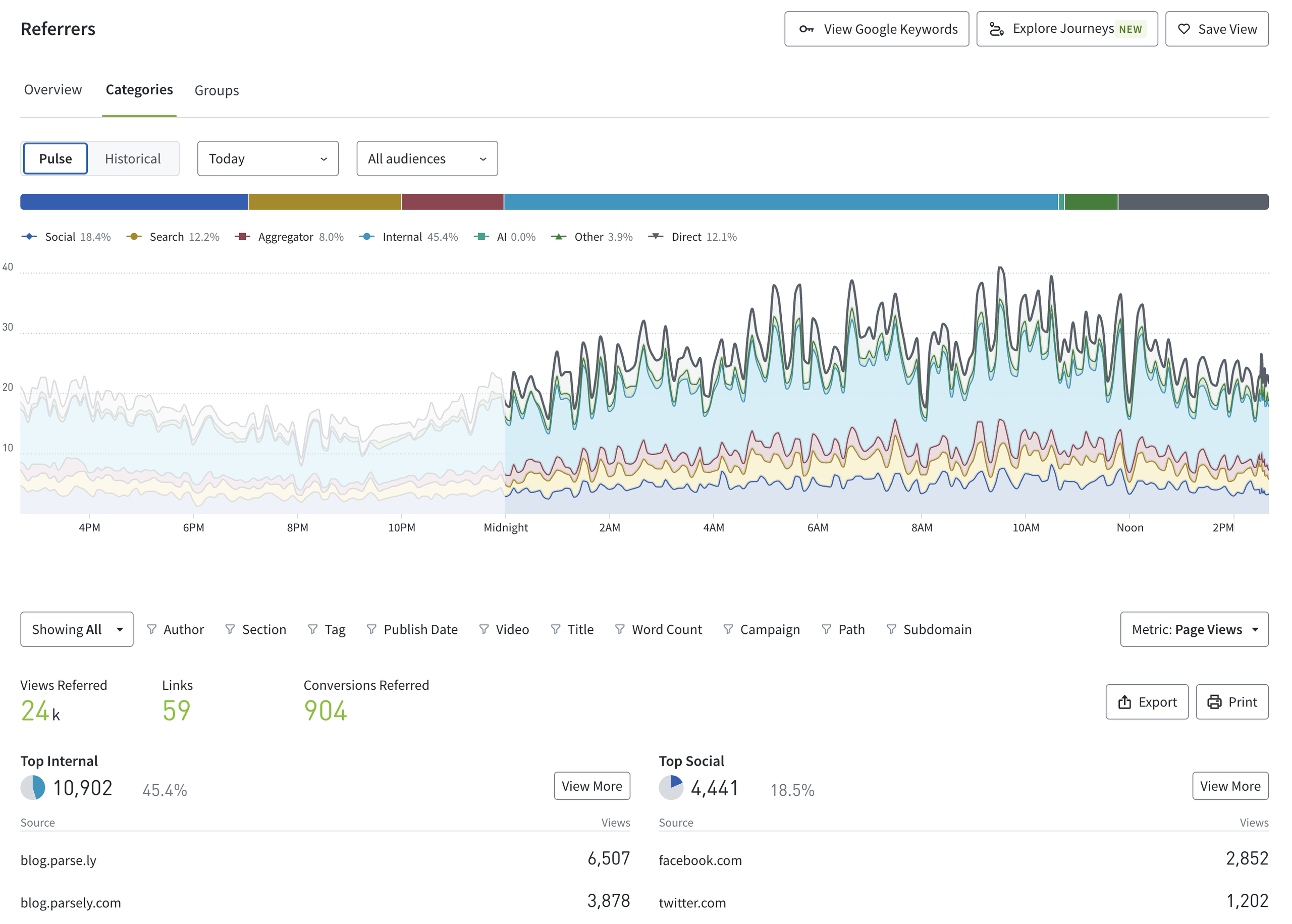
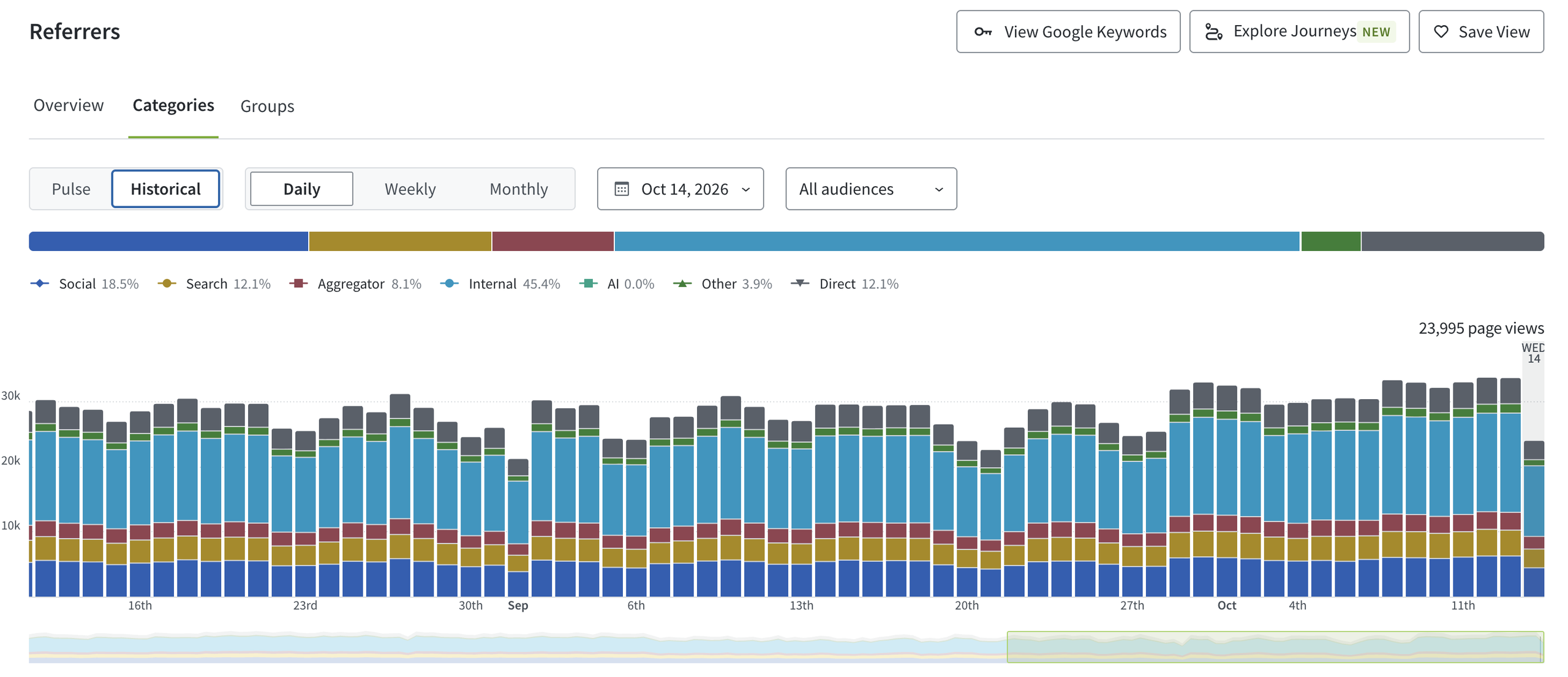
The Categories tab contains a 100% stacked bar chart to depict the proportional contribution of each referrer category. Below the bar chart, is a stacked line chart (real-time graph) or stacked bar chart (historical graph), which illustrates the amount of traffic received over the selected time period.
Each referrer category (Social, Search, Aggregator, AI, Other, Internal, Direct) is listed below the stacked chart with the top referral domains in that category and a pie chart illustration of the percentage of traffic next to each category. Parse.ly categorizes many domains as defined below.
Note
Referrer categorizations affect all Parse.ly users, so customizations aren’t currently possible. If you believe a domain has been misclassified, contact Parse.ly Support.
Categories
Social
Parse.ly tracks a number of referring domains as social networks. That list currently includes:
| bsky.app | linkinprofile.com | reddit.com |
| facebook.com | linktr.ee | shor.by |
| fantail.social | lnk.bio | snapchat.com |
| gigya.com | meneame.net | stumbleupon.com |
| have2have.it | newsin.bio | t.cn |
| instagram.com | nextdoor.com | threads.net |
| like2buy.curalate.com | pinterest.com | twitter.com |
| likeshop.me | plus.google.com | weibo.cn |
| linkedin.com | po.st | xing.com |
| linkin.bio | qq.com |
For some of the above, Parse.ly can provide more granularity than simply the site that’s driving traffic by plugging into the social media site’s API:
Facebook: Facebook likes, shares, and reactions are grouped collectively as “Facebook interactions.” You can sort other Dashboard pages by Facebook interactions. Facebook does not provide Parse.ly with data about individual Facebook posts that drive traffic to your site.
Pinterest: Pinterest pins appear in the Dashboard as “Pinterest interactions.” You can sort other Dashboard pages by Pinterest interactions.
Reddit: You can see the links that drove traffic to your site from Reddit by clicking “reddit.com” from the list under the Social referrer category. Once on the Reddit referrer page, click the “Referring URLs” tab so see the URLs that drove the traffic, including specific posts and subreddits.
X: Tweets appear in the Dashboard as “Twitter interactions.” You can sort other Dashboard pages by X interactions. X does not provide Parse.ly with data about individual tweets that drive traffic to your site.
Pro Tip
Don’t see a social domain you want to track in Parse.ly’s list? You can track other social sites by adding UTM parameters to the end of your URLs.
Search
Traffic from search engines such as Google, Yahoo, and Microsoft Bing falls under the Search referrer category.
Other
Any additional external referral source will be classified here, such as:
- RSS feeds.
- Other external sites and applications.
Internal
The Internal category includes any traffic from your site’s domain. This can be from the homepage, in-article links, or marketing automation emails (if set up with a matching subdomain).
Large numbers of internal traffic on a post can be driven by photo galleries or paginated content, where clicking to see the next image or page registers another page view (dynamic tracking), but it can also be a good indication of loyalty throughout a site.
Note
Self-referring page views aren’t included in the Internal page view count. Therefore, adding the number of page views in the Social, Search, Other, Internal, and Direct categories won’t equal the total page views displayed in the Referrers timeline. To get an exact match, include the number of self-referring page views, seen by hovering over the Internal referrers tile.
Aggregator
Aggregator traffic comes from content aggregators such as Google News, Google Discover, Flipboard, and Newsbreak. Note that because Google doesn’t provide Discover traffic in real-time, Parse.ly shows statistically modeled estimates.
AI
AI traffic comes from sources such as ChatGPT, Perplexity, and Google Gemini.
Direct
Direct traffic has no referrer data. This could happen for a number of reasons:
- The user typed the URL into their browser or clicked on a browser bookmark.
- Links were shared via email, SMS, or an app (e.g., TikTok, Truth Social, Mastodon, Discord, etc.).
- A privacy-centric search engine, browser, or operating system stripped out referrer information.
Sources of some direct traffic may be identified by adding parameters to your URLs and tracking them on the Campaigns page.
Referrer groups Tab
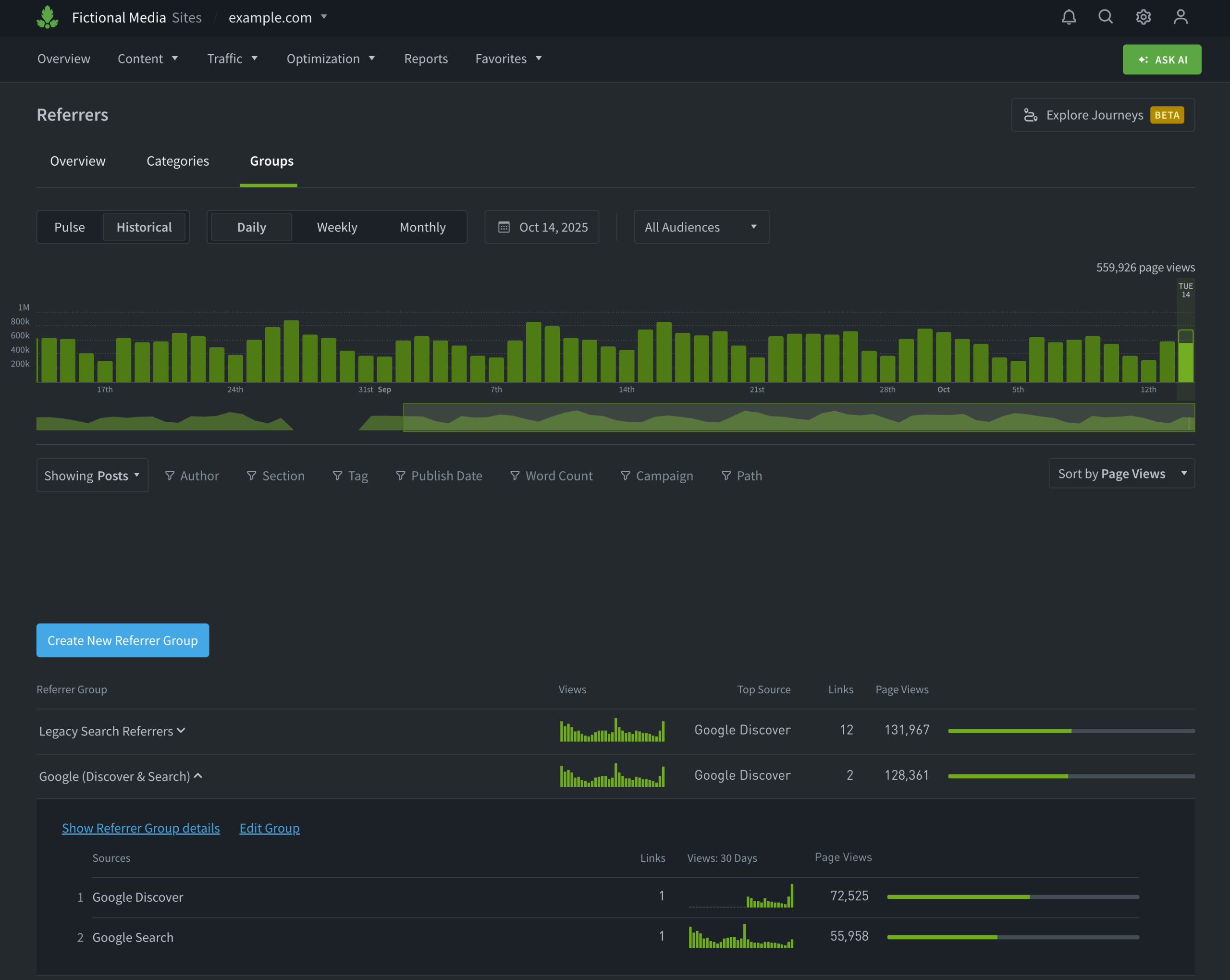
If you want to organize the Referrers into your own groupings, then check out the referrer groups tab.
Last updated: October 14, 2026