Top Performers report
The Top Performers report provides an overview of the most popular videos, posts, authors, sections, tags, referrers, campaigns, channels, conversion labels, or segments on your site on your site.
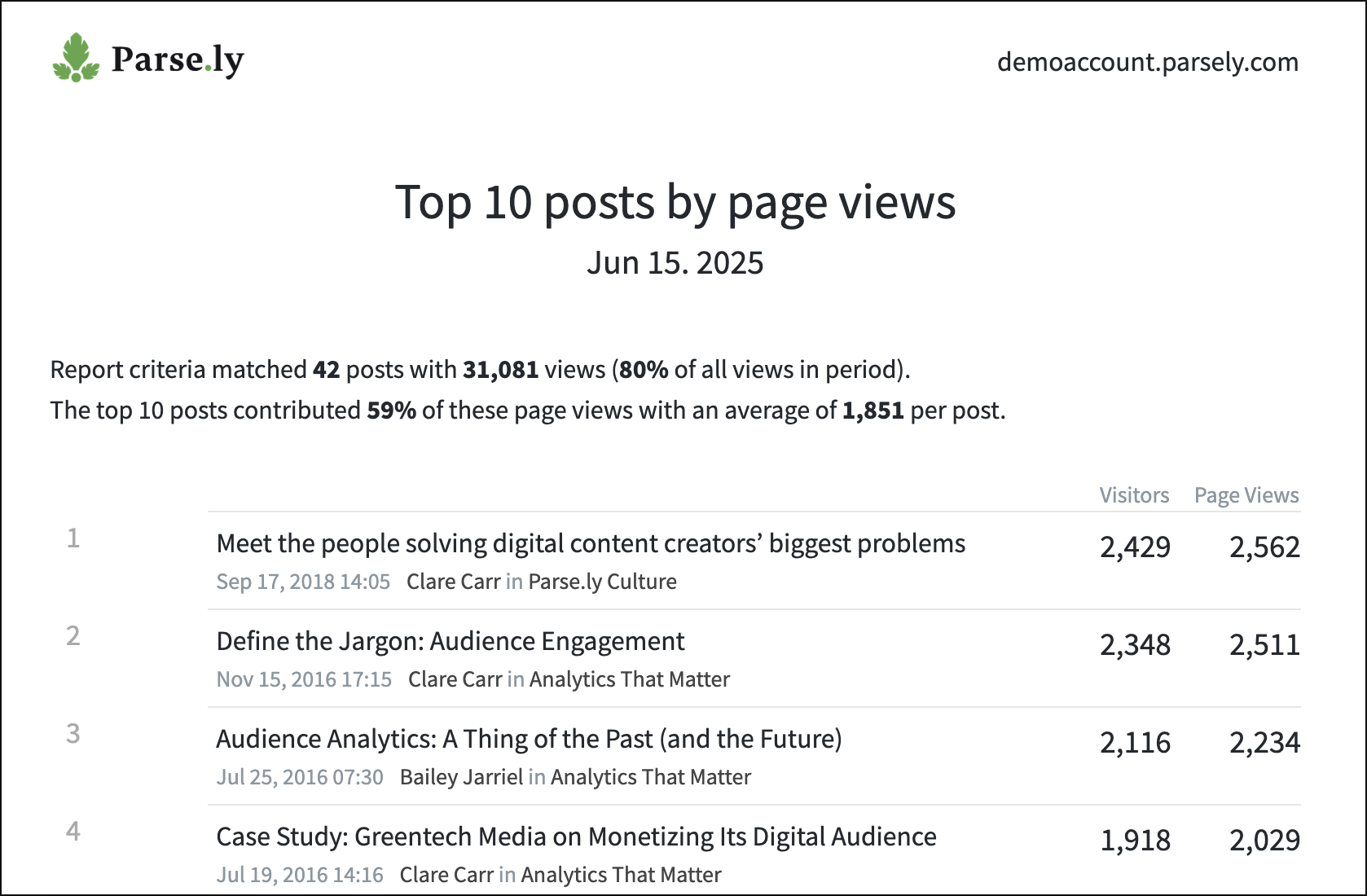
Follow Parse.ly’s guide to creating reports to create a new Top Performers report.
Use cases
- The Top Performers report is an excellent resource for those concerned with reporting on a high level.
- Editors can set up a daily Top Performers report that lists the previous day’s top posts. Once yesterday’s strongest content is identified, they can ask questions like:
- Can we re-promote the top content?
- Have the top stories been pushed to all social channels?
- Has more information come out on a topic listed, and can we write a follow-up story?
Tips
- The Top Performers report is interactive. Click a listed video, post, author, section, tag, referrer, etc. to see more details in the Parse.ly Dashboard.
- If you add two or more filters for the same category (e.g., two sections) when creating the report, it will show data that meets any condition. If you add two or more filters for different categories (e.g., a section filter and a tag filter), the report will only show data that meets all conditions.
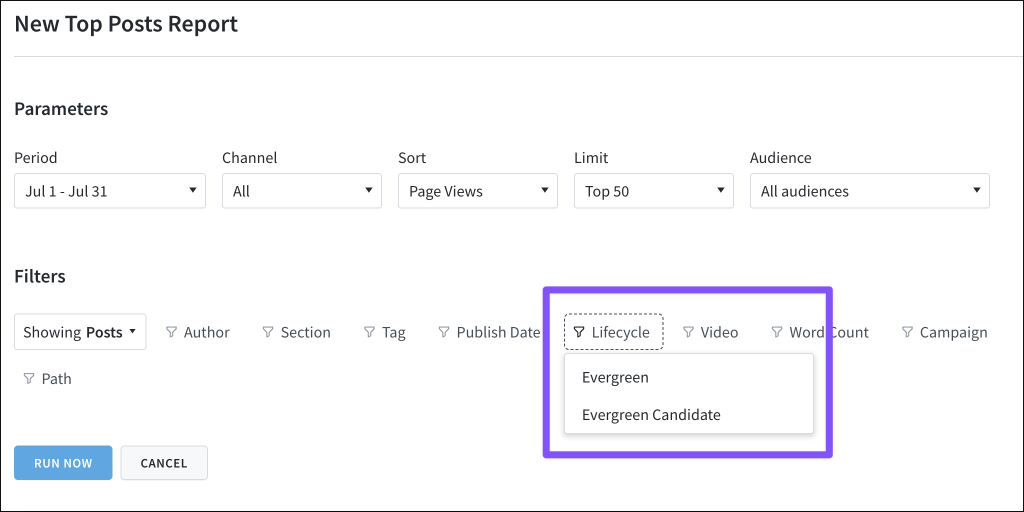
- When creating a Top Performers report for posts/pages, the Lifecycle filter will focus the report on evergreen or evergreen candidate posts.
- A post must be at least 20 days old and still receiving significant traffic to be considered evergreen. An evergreen candidate post is between 8-20 days old and still receiving significant traffic.
Note
The Evergreen Content report can also be run to get more details on evergreen content.
Last updated: September 22, 2025