Search and Filtering Added to Headline Testing & Optimization
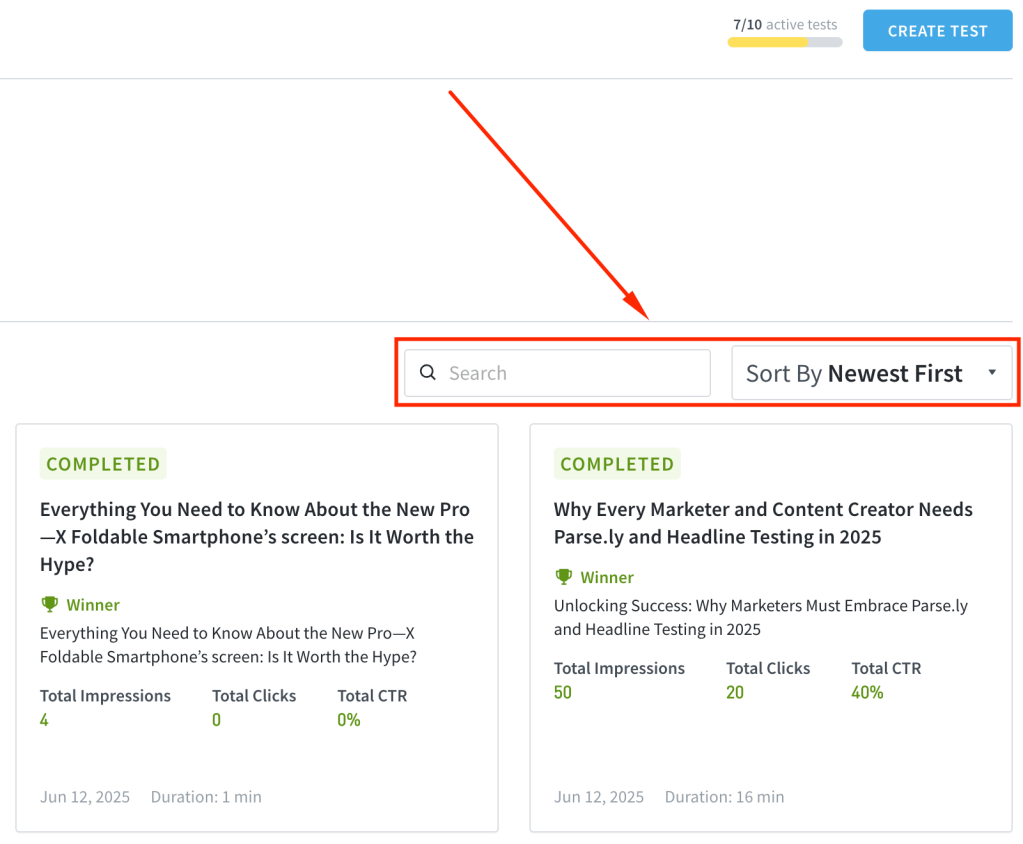
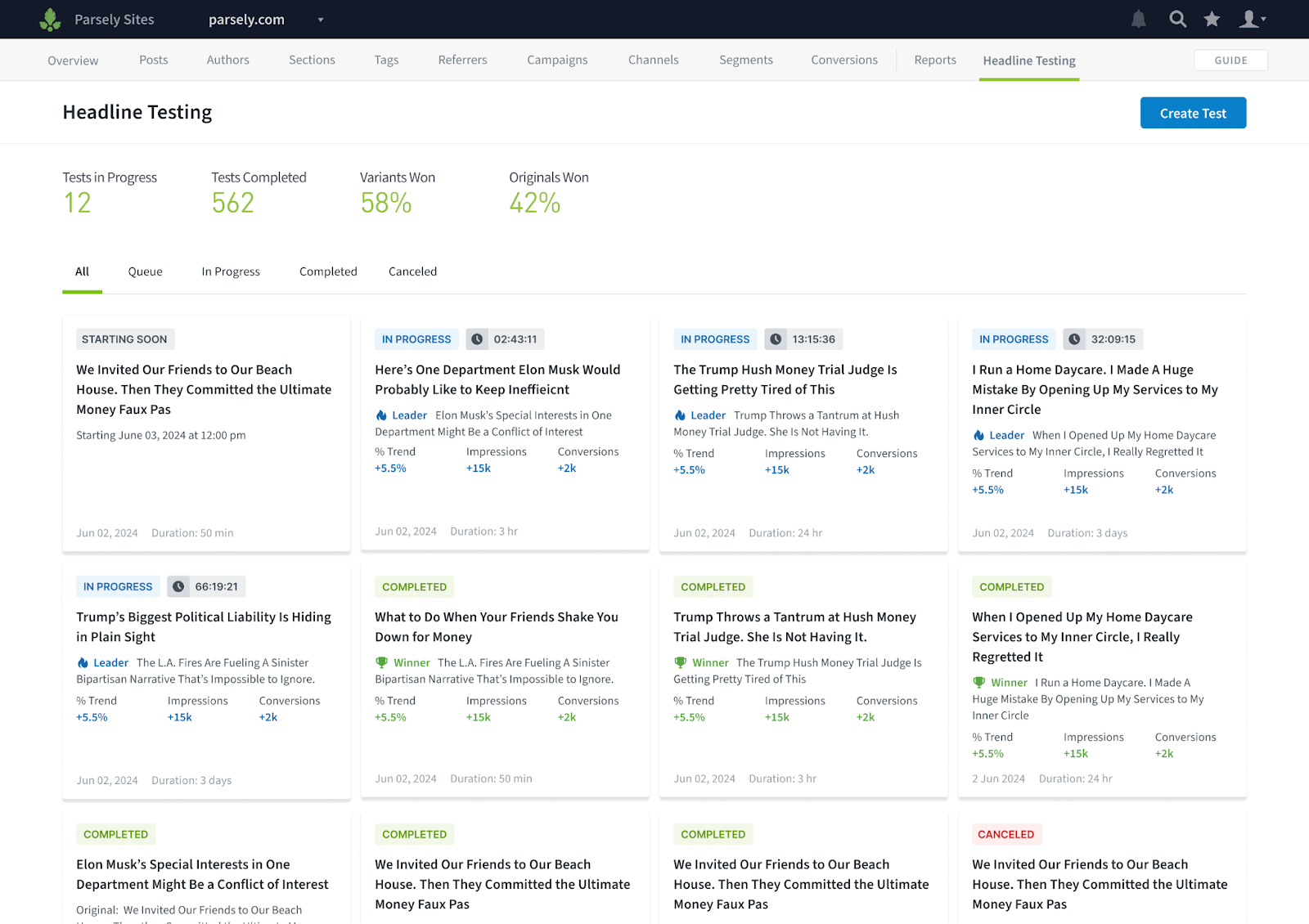
If you manage multiple headline tests or optimizations, you can now search, filter, and sort to quickly find the tests you’re looking for, making the experience faster and more organized.
Save Headline Tests & Optimizations as Drafts
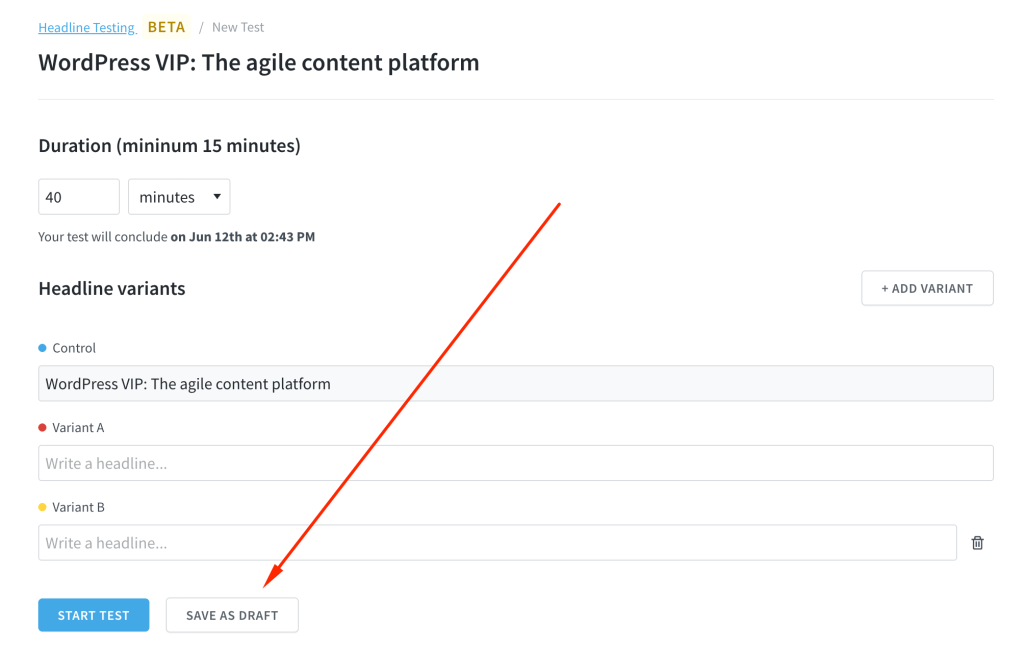
You can now save headline tests and optimizations as drafts if you’re not ready to launch immediately. Start when you’re ready and return later to continue editing.
Other Headline Testing & Optimization Improvements:
You can now view additional metadata such as start and end dates, number of variants, and test duration just below the test title.
The chart on a headline test detail page has been repositioned just below the aggregated results for better context.
You’ll now get a notification if two variants are duplicates, helping you clean up and differentiate your tests.
The issue where the Headline Testing menu in the top bar was difficult to locate on some devices has been resolved.
Improvements & Bug Fixes:
The Parse.ly Usage page in the dashboard has been redesigned to include Users and Reports on the same page, now organized as tabs.
We’ve added pagination to the Goals feature and updated the limits, making it easier to find and manage your goals.
Resolved an issue where filters such as aspects and periods couldn’t be applied when creating a scheduled report.
You will no longer see GSC data at the network level until full support for network-wide GSC data is available.
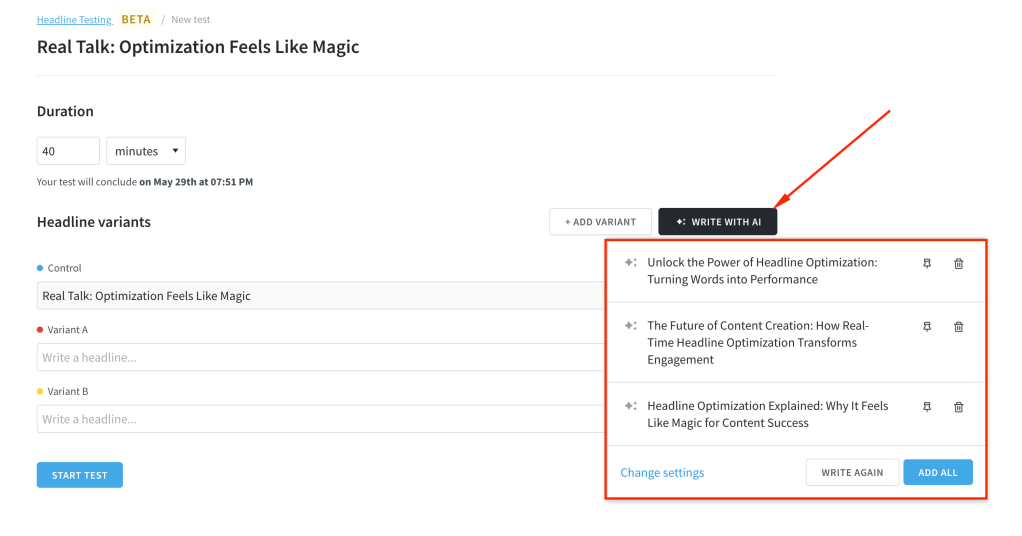
AI can be helpful in many ways, and now, you can use it to generate headline ideas for your tests and optimization. This feature helps you save time and spark inspiration when launching new headline tests. This feature is available by request only. To enable it for your site, please contact support@parsely.com.
Edit the Control Headline
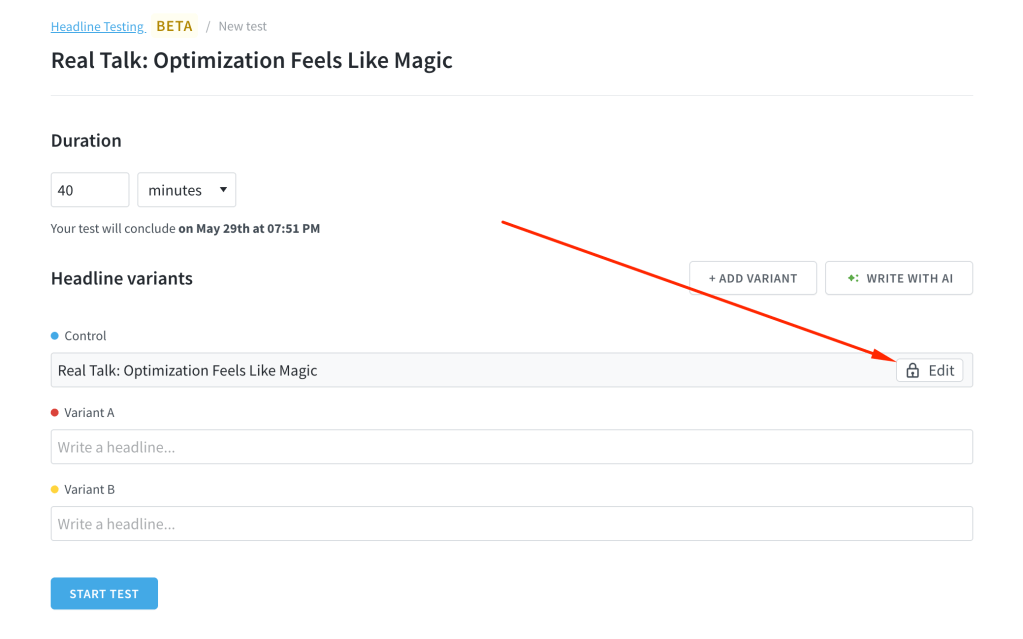
You can now edit the control headline, the main headline shown on your site and in your CMS when creating headline tests and optimization. This gives you greater flexibility to fine-tune tests and improve performance. This feature is also available by request. Contact support@parsely.com to have it enabled for your site.
Related Improvements & Bug Fixes:
The Evolution section of a headline test now displays time series data in the publisher’s local time zone, for more relevant analysis.
Click-through rate (CTR) results now show a more accurate value, helping you more confidently identify the winning headline.
Users without the correct permissions to create a headline test will no longer see the “Create Test” button, reducing confusion.
The headline test detail page now displays the name of the user who created the test, improving visibility and accountability.
You’ll now see a confirmation modal before ending a headline test, helping prevent accidental test termination.
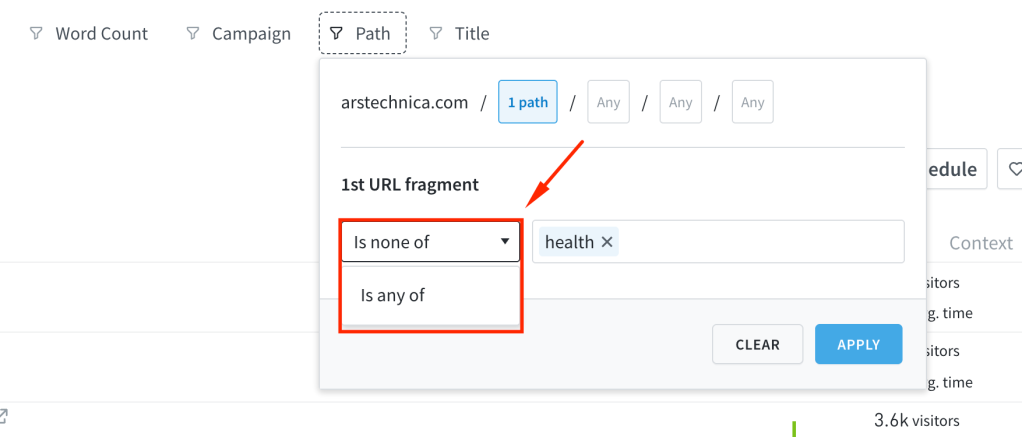
The Path filter now supports excluding specific paths and allows you to use multiple paths in a single filter. This provides you with more flexibility to target specific posts when analyzing your content performance.
Control Who Can Manage Headline Tests
You can now control which team members have permission to create or end headline tests. While all users can view the overview and individual headline tests, only selected users can actively manage them. Learn more about headline testing and optimization permissions here.
Improvements & Bug Fixes:
We’ve improved parts of the headline testing and optimization interface. We now show data for the entire experiment on each test card, not just the winning variant.
Fixed an issue where an error page appeared when using the dashboard’s search feature.
Resolved an issue where the channels view for video was showing zero views despite actual traffic.
The beta release of Parse.ly’s Headline Testing & Optimization brings MAB (Multi Armed Bandit) experimentation directly into your content analytics workflow, letting you test multiple headline variants in one place, measure their real-time performance, and automatically allocate traffic to the winners, all without leaving the Parse.ly Dashboard.
Key Features in Beta
Create Tests Right in Parse.ly: Launch experiments with up to ten headline variants directly from your dashboard.
Get Instant Results: See impressions, clicks, and engagement metrics update live, optimized directly in your analytics.
Smarter Optimization: Unlike traditional A/B tests, our system shifts more traffic to better-performing headlines automatically while still collecting data across all variants.
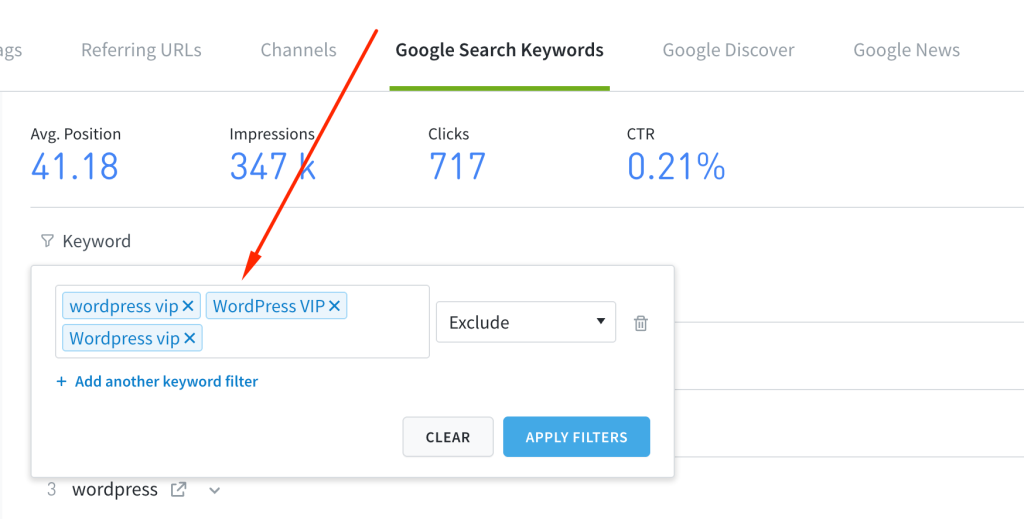
The title and keyword filters for page listings and keywords now support phrases with spaces. For example, you can now filter to match or exclude phrases like WordPress VIP. This improvement helps ensure your filters return more accurate results.
Improvements & Bug Fixes:
Resolved an issue where an error appeared when viewing a created Average Engaged Time goal.
Fixed an issue where the metric selector dropdown did not reflect the selected conversion attribution model correctly.
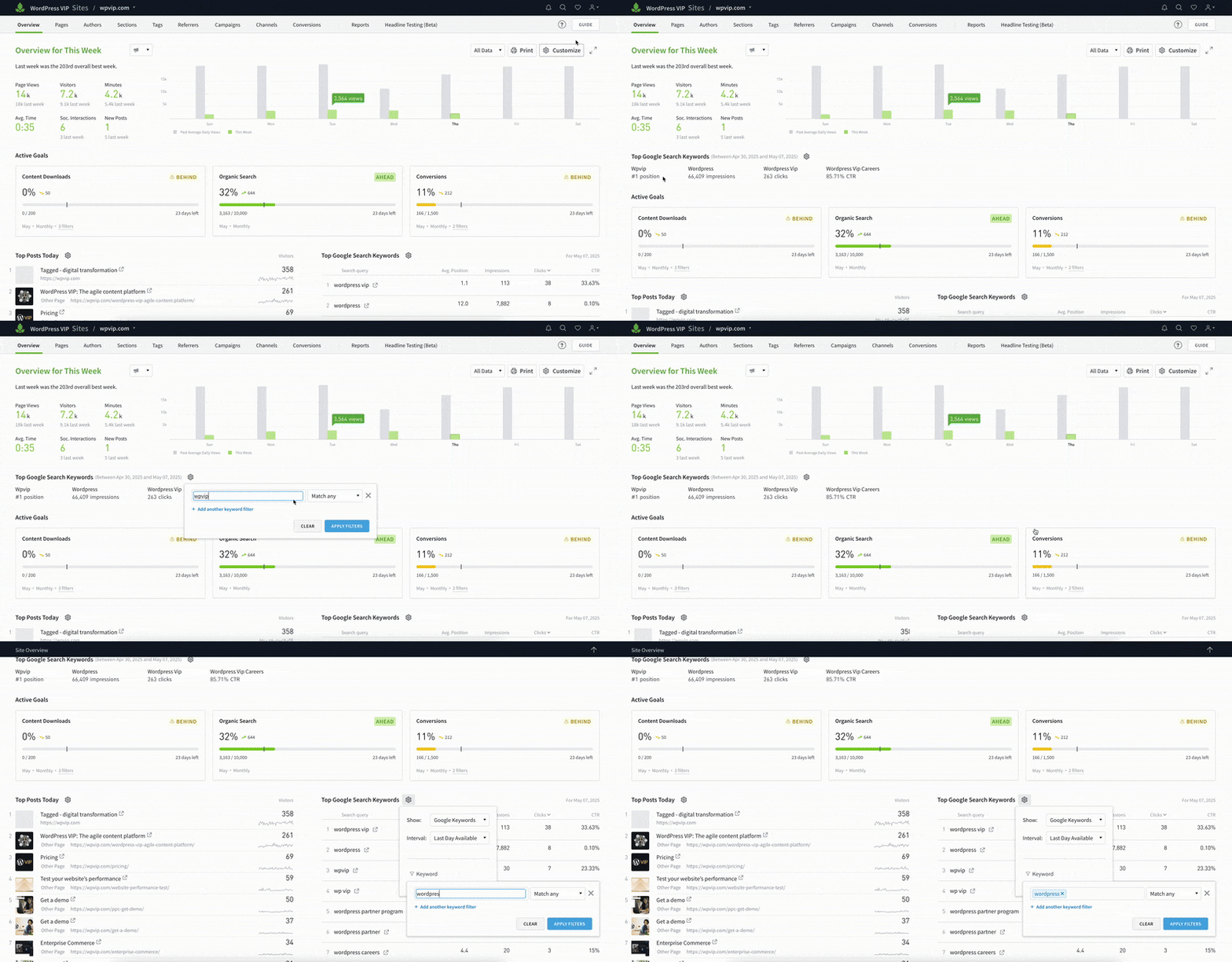
You can now filter keywords in the Top Google Search Keywords and Listings sections on the Overview page either by excluding specific terms or focusing only on selected ones. This helps you stay focused on the keywords that matter most to your strategy.
Improvements & Bug Fixes:
We’ve also fine-tuned the recency of Google Search Console (GSC) data displayed in the dashboard. You should now see more up-to-date data, with a shorter delay than before.
Goals are an effective way to keep your team focused on the metrics that matter most. You can now monitor the performance of your key Goals directly from the Overview page. Choose which Goals to display, and reorder them at any time using a drag-and-drop interface.
Improvements & Bug Fixes:
Resolved an issue to ensure the Google Search Console traffic is broken down correctly.
You can now view a percentage breakdown of the Google Search Console (GSC) channels driving traffic to posts when you view the Posts tab on the Google Referrers page. This makes it easier to understand which channels (like Search, News, or Discover) are performing best for your content, helping you better tailor your SEO and content strategies.
See Which Posts Are Driven by Keywords
For each keyword listed in the Google Search Keywords tab, you can now click to view the posts it drove traffic to. This gives you clearer insights into which topics or posts are resonating with search audiences, helping you optimize your content around the keywords that matter most.
Improvements & Bug Fixes:
We’ve updated the UI and behavior of elements in the Overview settings panel to make it easier to configure the Overview page to fit your workflow.
Enhanced the filtering options for GSC to make it easier to exclude or narrow down specific keywords during analysis.
Resolved an issue that caused the new Details report to fail on sites using non-ASCII characters.
Fixed an issue where the Match Selected preset in the publish date filter was not being applied correctly to listings in the new Details report.
Shared links for Apple News data no longer redirect to a login page and should now open as expected.
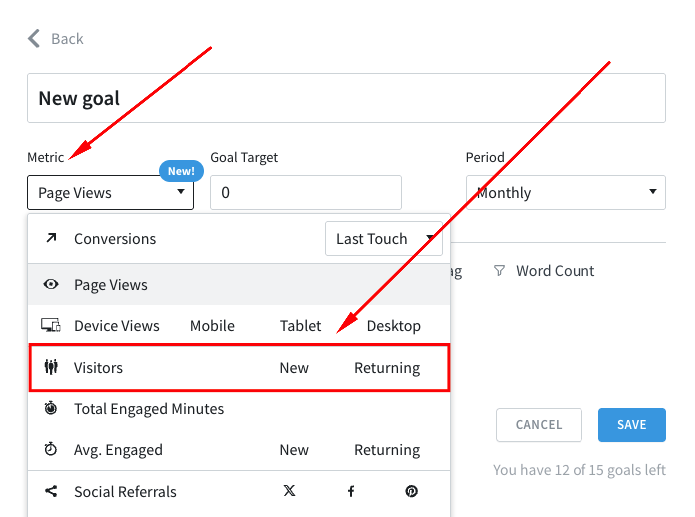
You can now track Visitors, New Visitors, and Returning Visitors metrics using Goals. This enables your team to better track and strengthen audience growth and loyalty.
Improvements & Bug Fixes:
We’ve improved how you can contact support through the Help menu in the dashboard. You will now see a modal displaying the email address to contact.
Resolved an issue where the Converting Visitors metric was not being saved when set via the settings panel on the Overview page.
Fixed an issue where scheduled Details reports created using the new custom report setup were failing after editing their configurations.
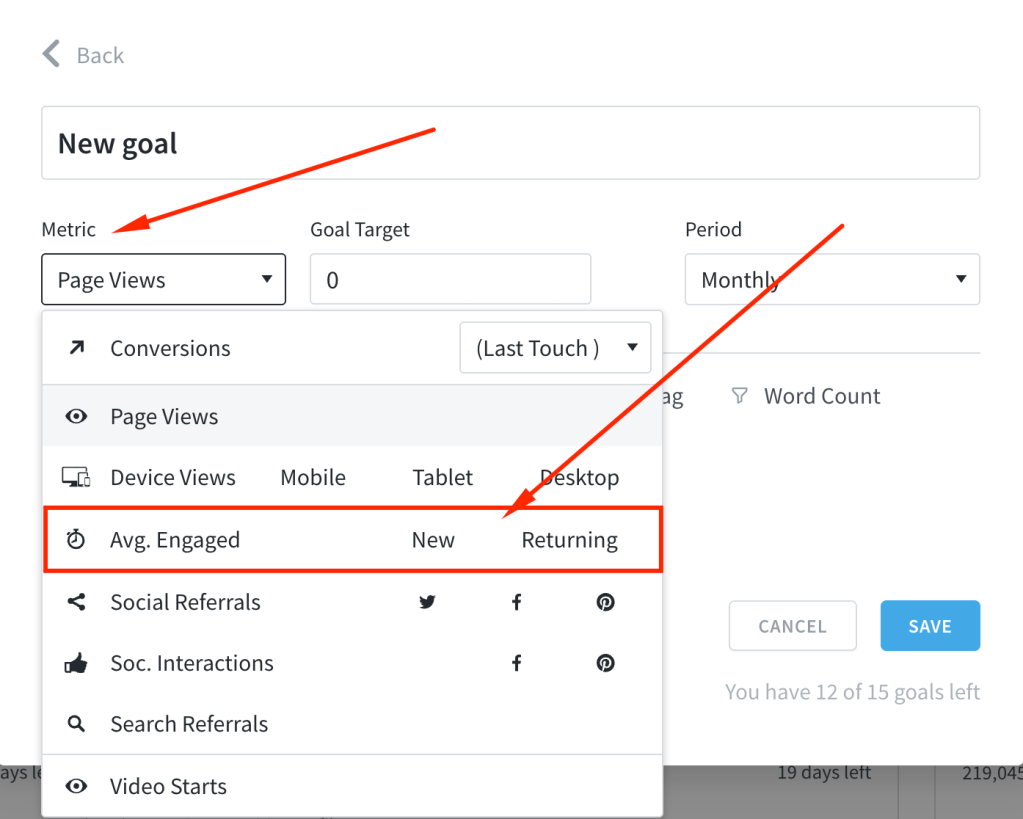
We’ve added the ability to track average engaged time for new and returning visitors using Goals. This helps your team better align on understanding audience behavior and driving stronger engagement outcomes.