Smart tag FAQs
What content types support smart tags?
Smart tags are available for both posts and non-posts, as long as they meet the eligibility criteria.
Why don’t some of my posts or non-posts have smart tags?
Smart tags are only added to new content that meets both of the following requirements:
- The post or non-post must contain at least 300 words. Only the article body is analyzed for tags.
- The post or non-post must have a publication date after April 1, 2021.
Can smart tags be added to older posts and non-posts?
Please reach out to your Relationship Manager to discuss pricing for historical back-population.
Are smart tags available in the Parse.ly API?
Yes, smart tags are seen in Parse.ly API calls wherever post details are delivered (the analytics endpoint, recommendations endpoint, etc.). Smart tags are colocated alongside site tags with the following format:
parsely_smart:tag_type:Example Tag
In the above API format example, tag_type refers to smart tag levels:
- High-level smart tags are typed as
iaband appear asparsely_smart:iab:Example Tag. - Low-level smart tags are typed as
entityand appear asparsely_smart:entity:Example Tag.
Note
While smart tags work for both posts and non-posts in the Dashboard, the Parse.ly API only returns posts. Non-post smart tags are not accessible via the API.
Are smart tags available in Parse.ly’s Data Pipeline?
Yes, smart tags are colocated with site tags in the metadata_tags field of the Data Pipeline using the same format as the Parse.ly API: parsely_smart:tag_type:Example Tag (further described above).
Are smart tags available in languages other than English?
No, except for proper nouns, smart tags can only be generated in English. However, other metadata in languages other than English will display in the Parse.ly Dashboard.
If a post or non-post is edited, will its smart tags update?
No, content is analyzed and assigned smart tags once during the first crawl. Edits/changes made after publication will not trigger a smart tag update.
Can smart tags be added, removed, edited, or replaced?
No, smart tags assigned to a post are immutable. This capability may be possible in future Parse.ly releases.
Smart tags are incorrect, or some are missing!
Parse.ly is continuously refining the machine learning models used with smart tags. Improved results will be delivered over time.
How can smart tags help our team?
Smart tags provide insights about content without requiring additional manual effort from editors and content creators. With this feature, tagging content in the background, teams can focus on what matters most. Many Parse.ly users employ their own tag taxonomy alongside smart tags, while others leave content tagging entirely up to the smart tag system.
How can smart tags be disabled?
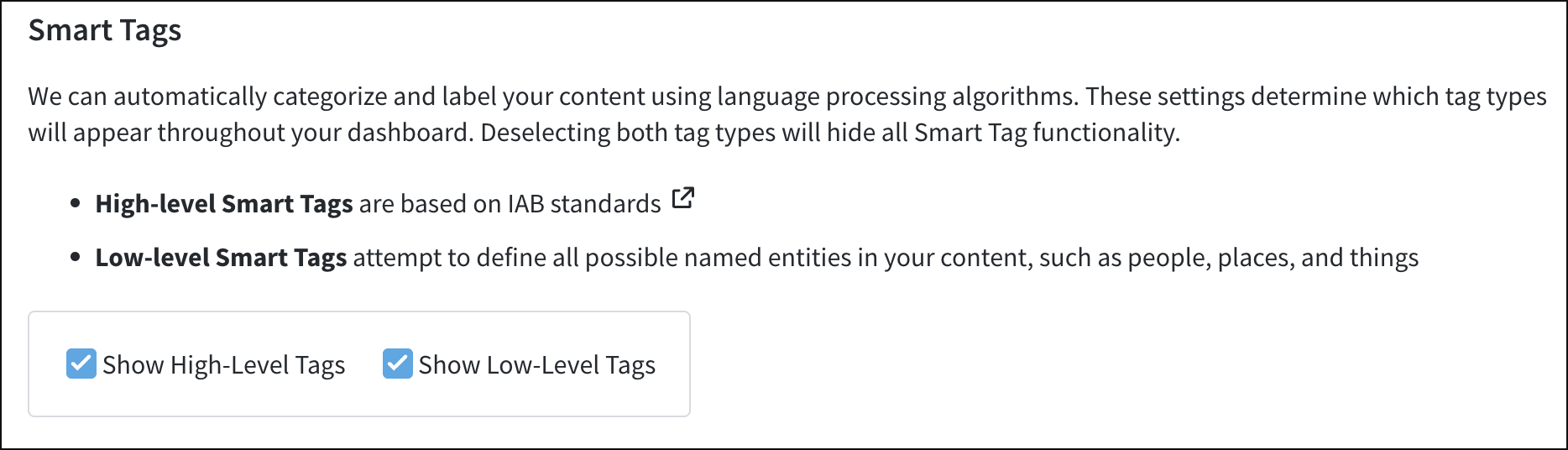
Smart tags can be turned on and off via the Preferences panel of the account menu under the “Smart Tags” section. Options include displaying both high- and low-level smart tags, only high- or low-level smart tags, or site tags only.
Last updated: November 06, 2025