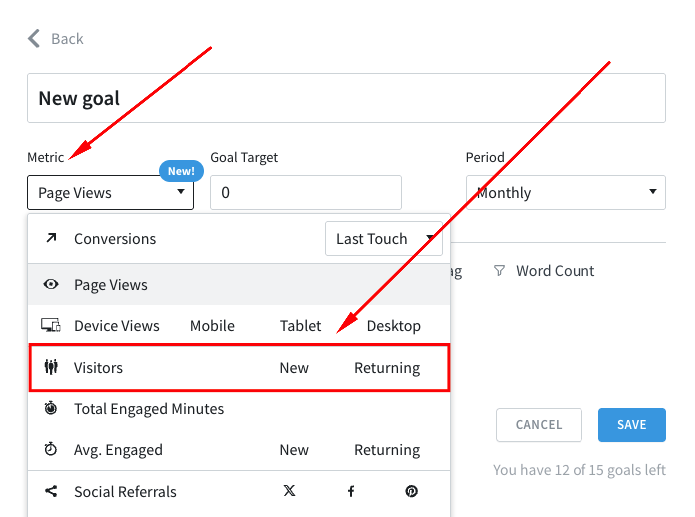
You can now track Visitors, New Visitors, and Returning Visitors metrics using Goals. This enables your team to better track and strengthen audience growth and loyalty.
Improvements & Bug Fixes:
We’ve improved how you can contact support through the Help menu in the dashboard. You will now see a modal displaying the email address to contact.
Resolved an issue where the Converting Visitors metric was not being saved when set via the settings panel on the Overview page.
Fixed an issue where scheduled Details reports created using the new custom report setup were failing after editing their configurations.
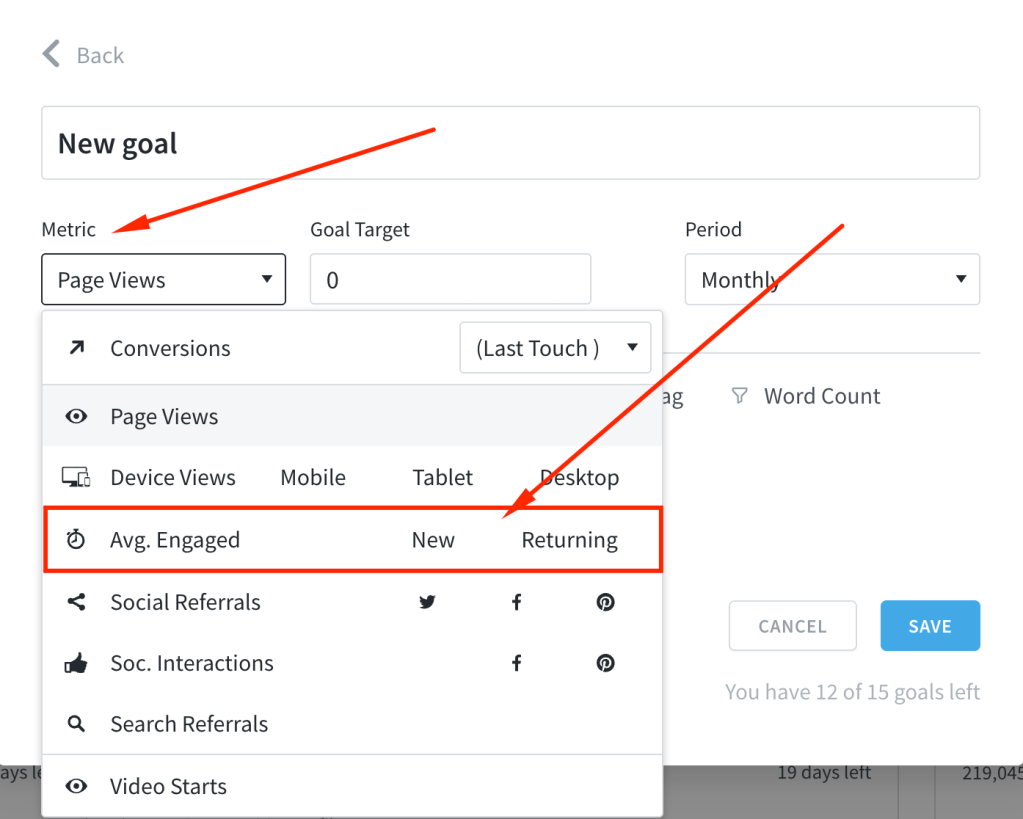
We’ve added the ability to track average engaged time for new and returning visitors using Goals. This helps your team better align on understanding audience behavior and driving stronger engagement outcomes.
We’ve enhanced all areas in the dashboard where you can provide a summary, making it easier to see when you exceed the allowed character count. This is especially helpful when writing report summaries for scheduled reports.
We’ve improved the accessibility of the notification dropdown in the top bar for a smoother user experience.
The Goals card has been redesigned for better visibility and understanding of your tracked goals.
We’ve updated the UI for one-time logins and password resets, making the login process more user-friendly.
Enhanced security measures to prevent pages from being framed or exploited through clickjacking.
Resolved an issue where post detail pages displayed site-wide Google Search Console (GSC) data instead of data specific to the post. You should now see GSC data only for the relevant post.
The new Details report should now function correctly for periods longer than 31 days.
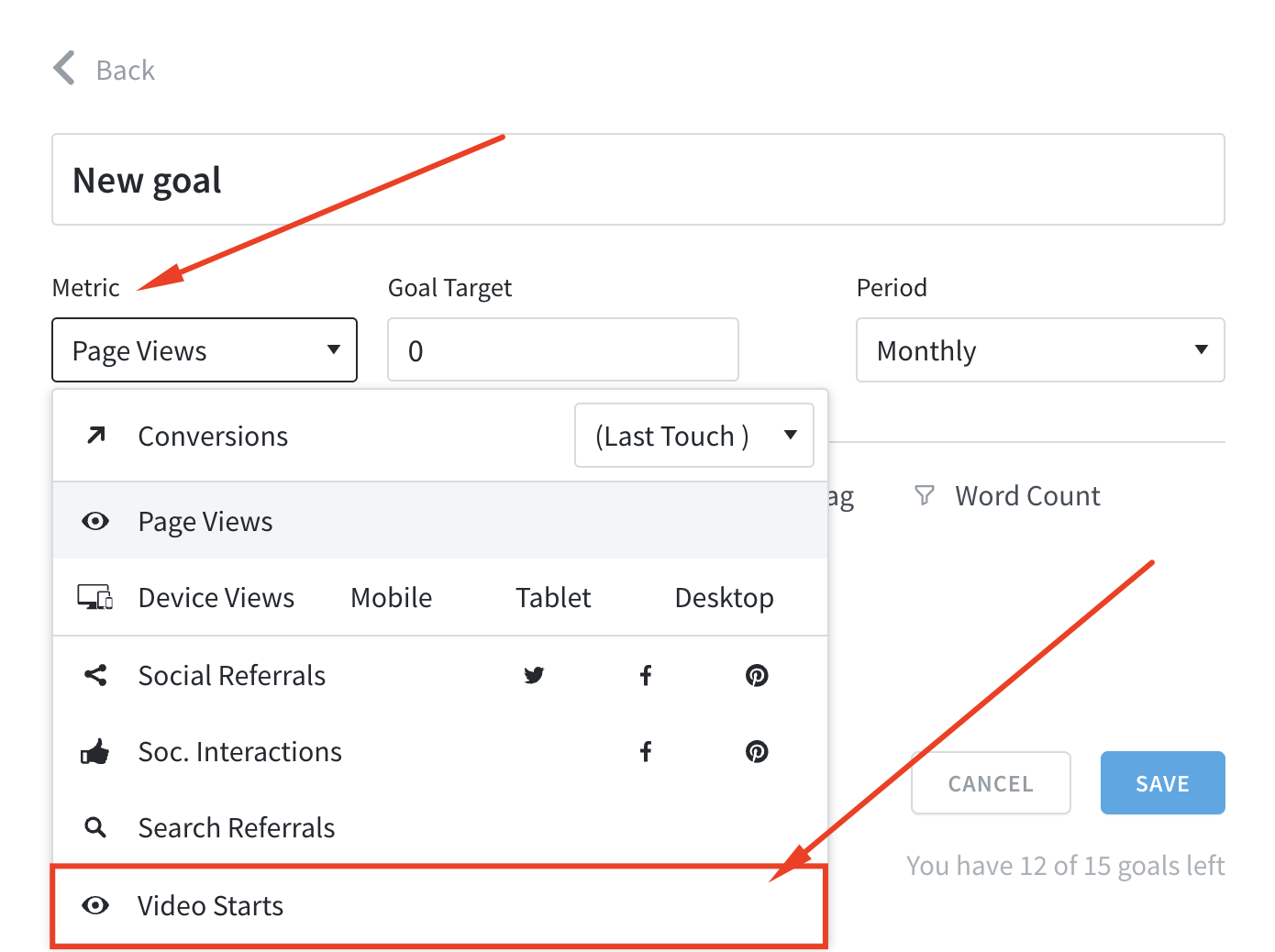
You can now track Video Starts as a Goals metric if video tracking is enabled, helping your team stay aligned on the number of times videos are started on your site.
Improvements & Bug Fixes:
Improved security when logging into your dashboard using a one-time login link.
Updated links to guides within the dashboard and ensured that every relevant page now includes a guide to help you navigate and use the dashboard more effectively.
When sorting by Recirculation Rate on the Posts page, the factoid “Views Referred” has been renamed to “Internal Referred” and now correctly displays data only for internal referrers.
Added a breadcrumb and a clear title at the top of the new Details report for better navigation.
Fixed an issue where the new Details report incorrectly displayed present-day data instead of the selected time period.
We’ve enhanced the report generation process to give you greater flexibility and control over your reports. You can now preview and customize the data and layout before generating the final report, ensuring it meets your specific needs.
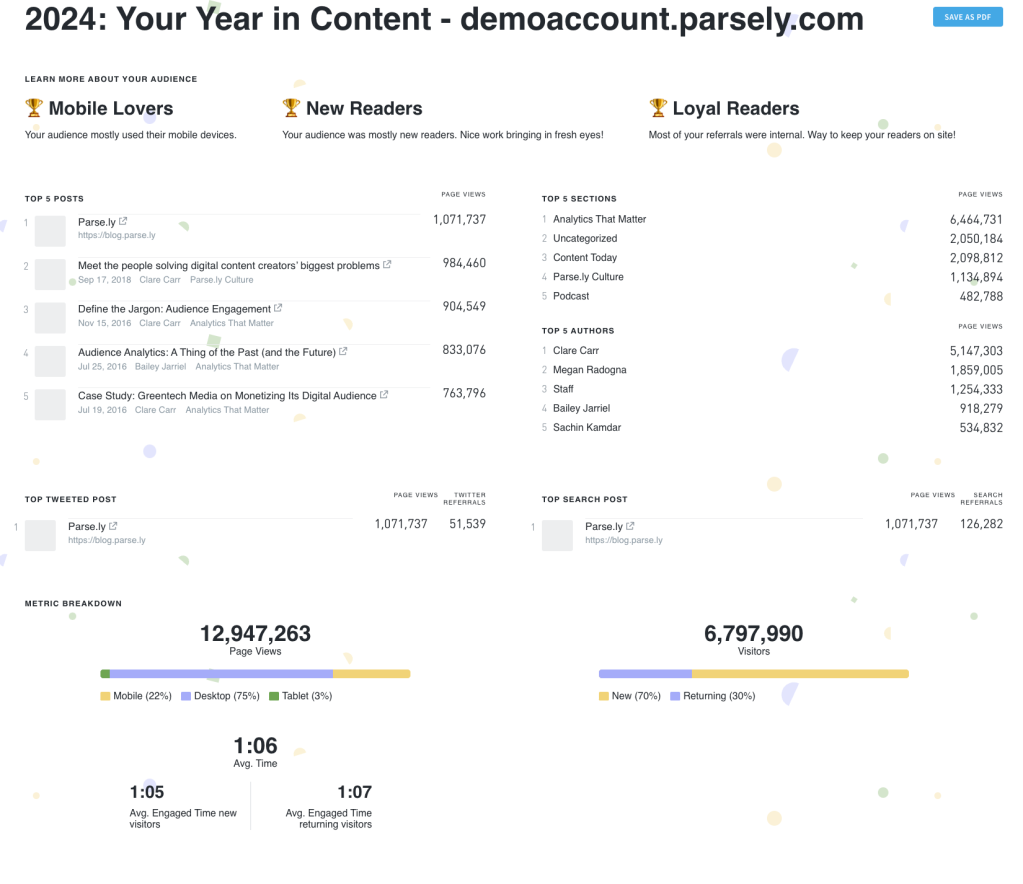
We’ve introduced a special year-end report, “Your Year in Content”, designed to highlight your content performance over the past year.
This report provides insights into your total page views, visitors, top 5 posts, sections, and authors, along with other key content metrics.
Please note that your year-end report is available only at the individual site level and will not appear in the reporting section of the Parse.ly dashboard.
Access your year-end report here: http://dash.parsely.com/{{SITEID}}/year-in-content. Replace {{SITEID}} with your site ID, such as wpvip.com.
You can now set daily goals, expanding your options beyond the recently introduced weekly goals and the existing monthly and quarterly goals.
Improved smart tag filtering
We’ve enhanced the smart tag settings under Preferences to make them easier to understand and use. Now, the smart tag type(s) you select in Preferences will accurately reflect in the tag type dropdown on the Tags page. If you choose not to display smart tags, the dropdown will no longer appear.
Improvements & Bug Fixes:
We’ve resolved an issue in the new Overview settings panel where selecting a conversion type in a filter for a listing was not possible. This functionality should now work as expected.