Product update: November 17, 2021
Better search results
Search results now surface videos, break out written content into posts and other pages (i.e. non-post pages), and show a count of results in each category.
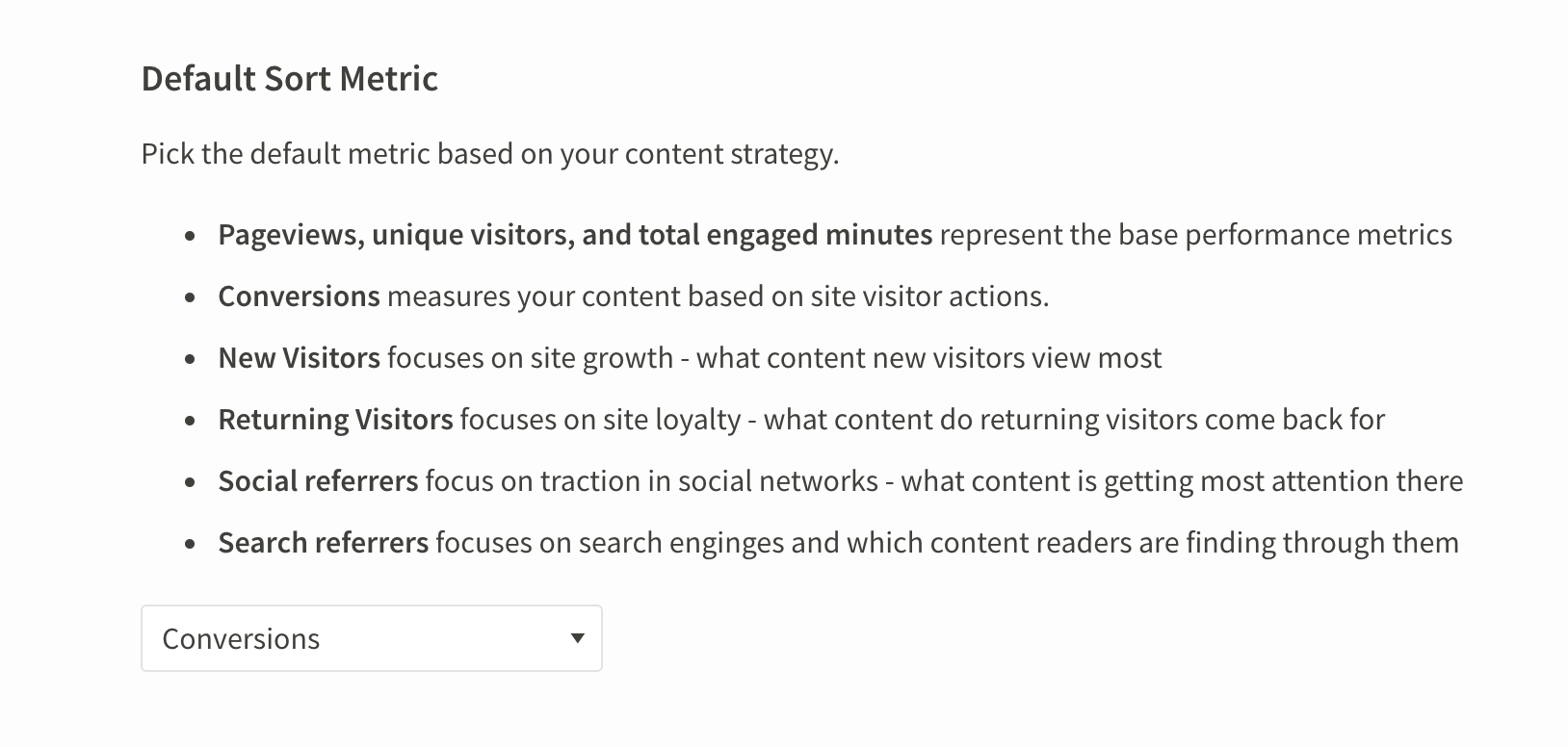
Set conversions as the default sort metric across your organization
From the Preferences page, admins can set conversions as the default sort metric for everyone who uses their Parse.ly dashboard.
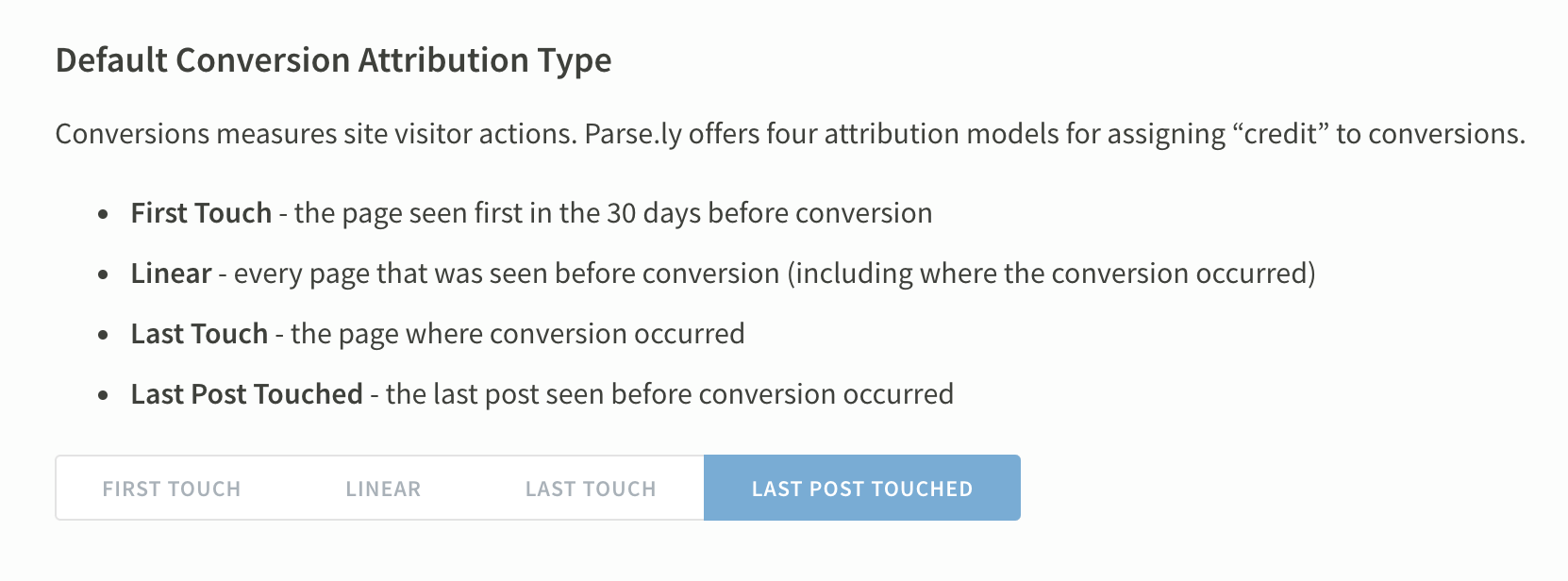
Admins can also select which attribution model, which assigns “credit” to content for conversions, shows up by default.
Richer recirculation metrics
Find more metrics to contextualize the referred views a given page sent to other pages on your site. Look under “Activity after viewing this post” at the bottom of the post details page.
You can also filter down to show just the Other posts viewed after this page or the index and section pages (i.e. non-post pages) viewed next.
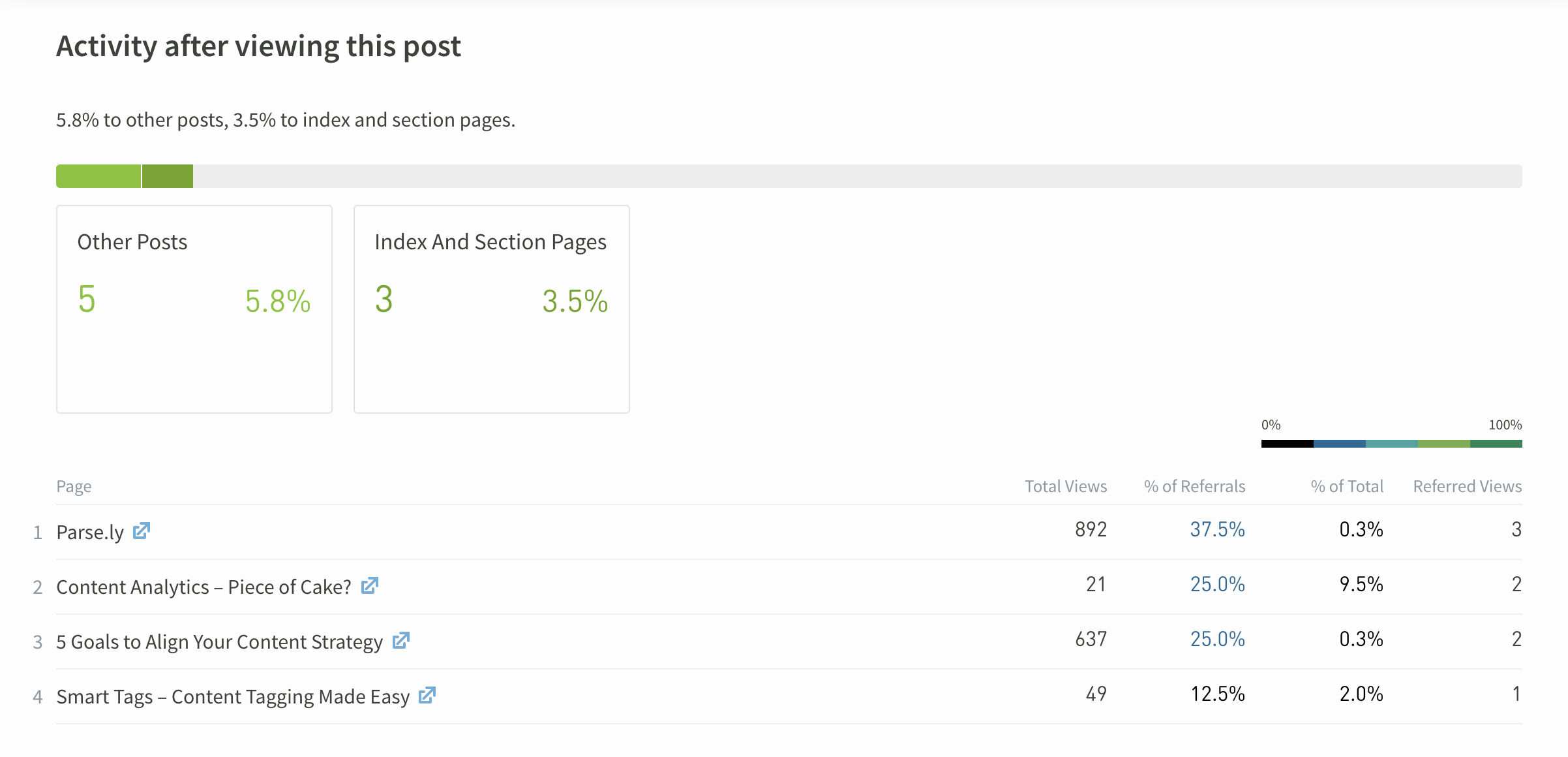
In the example above:
- “Content Analytics – Piece of Cake?” got 21 total views, from various sources
- 25% of the views referred internally by this page went to “Content Analytics – Piece of Cake?”
- This page referred 9.5% (2 views) of the 21 views to “Content Analytics – Piece of Cake?”
- This page referred 2 views to “Content Analytics – Piece of Cake?”
Last updated: September 17, 2025