Updating metadata via a recrawl
In a recrawl, we dispatch our web crawler to article URLs that already have metadata in our system in order to update the metadata associated with those records. This is useful in situations where you’ve configured your metadata incorrectly, for example, or when you’ve decided to add richer metadata retroactively that you’d like to see updated in your dashboard and API results.
Note
A recrawl will only apply new metadata to historical data for the three days prior to the recrawl and forward. If you would like to correct additional historical data, a rebuild of your historical data will be necessary. More information on rebuilds is available here.
There are five ways that we can update existing metadata with this process:
Recrawl via Automatic Metadata Change Detection
Read more about this opt-in feature that automatically detects and updates your metadata.
Recrawl via Check For Metadata Updates feature
Read more about how to manually check for metadata updates within each Post Details page.

Recrawl a single URL from the dashboard
A local site administrator can submit individual URLs to recrawl via a form found in the Parse.ly dashboard. This form is accessible via the API Settings page in the admin:
- Admins, click the site settings gear icon ⚙.
- Click API.
- Enter a valid URL. This will enable the Recrawl URL button.
- Click Recrawl URL.
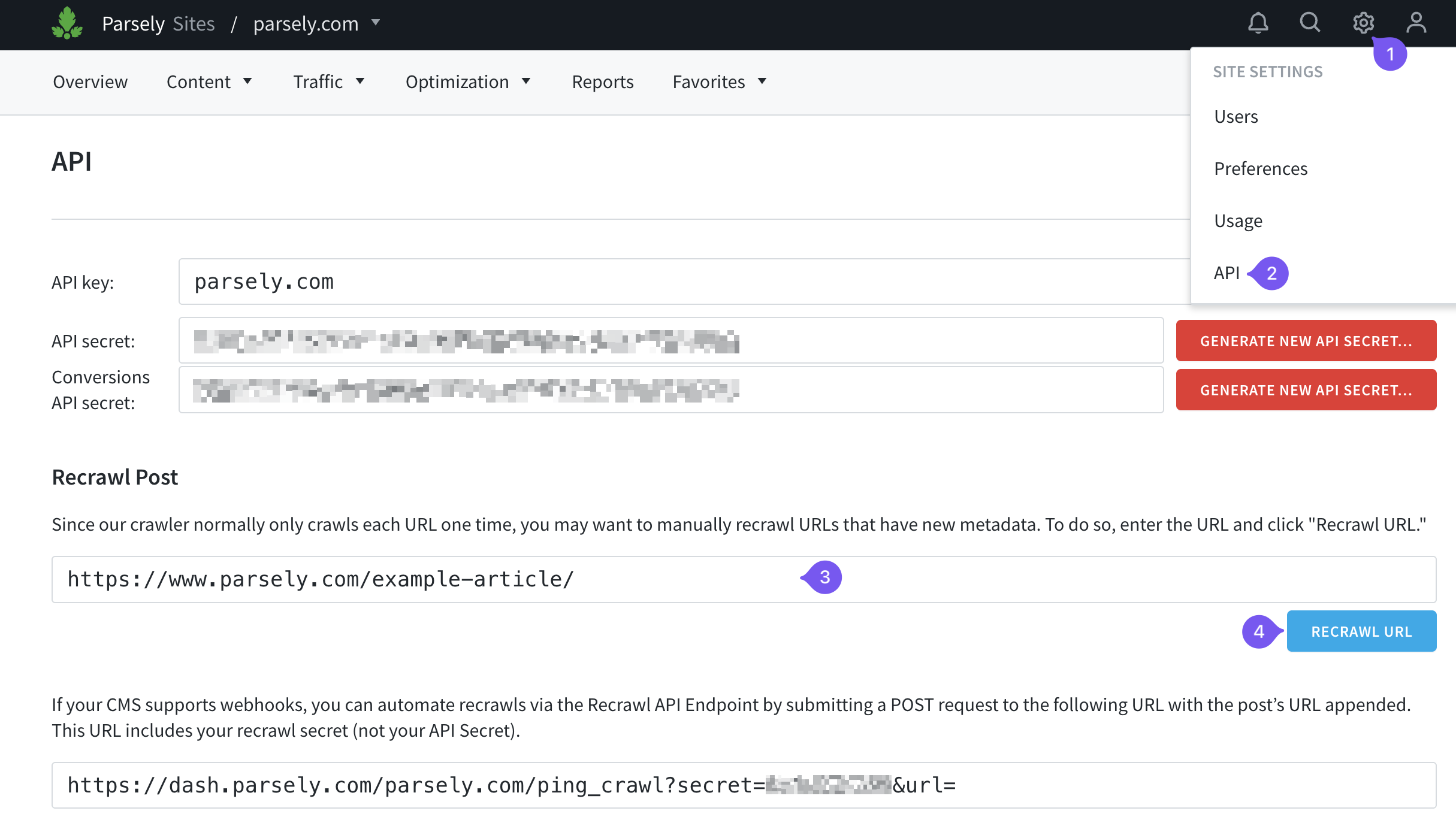
Trigger a new article crawl from the Parsely API
Pro tip
The API Settings page is available to all admins, even if you’re not paying for access to the Parse.ly API. This facilitates access to the recrawl tools discussed in this article.
The crawl secret is different from the API secret and will not work if applied to the Parse.ly Plugin settings.
Normally, we crawl articles during the first 24 hours after publication when the metadata is most likely to change. It is possible to notify our servers when you update posts. To do that, obtain the URL for your endpoint containing your crawl secret:
- Admins, click the site settings gear icon ⚙.
- Click API.
- Copy the URL containing
ping_crawl?secret=
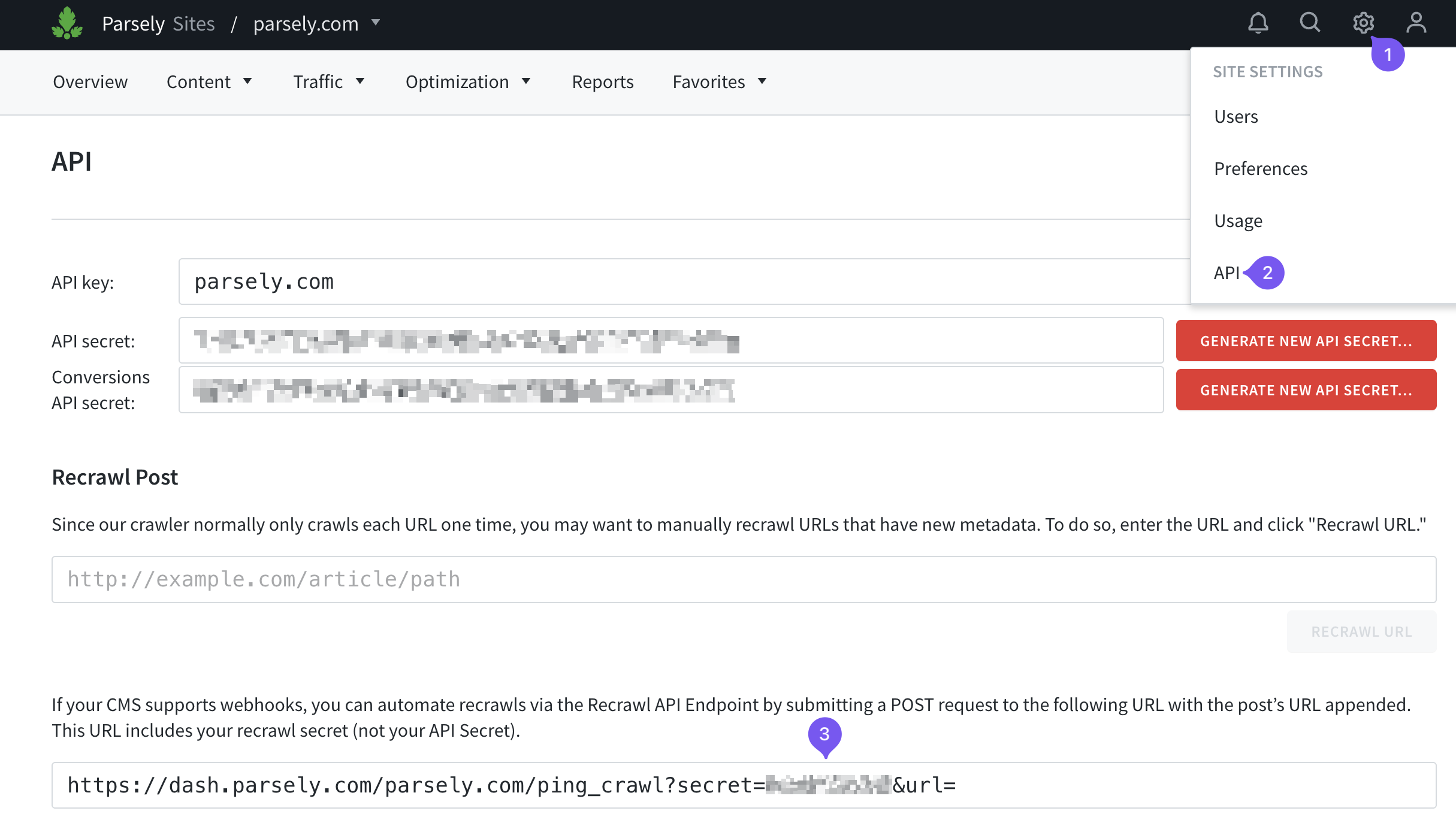
- Append a URL to the URL found in Step 3.
- Submit a POST request to the resulting URL of Step 4.
If your CMS supports webhooks, you may be able to automate this process as well.
Request a bulk recrawl from Parse.ly Support
If you have a large number of URLs that need updating, please contact Parse.ly Support to set up a bulk recrawl.
Last updated: July 21, 2026