Product update: October 1, 2019
See and resend pending invites Network users
See and resend pending invites
Now admins can easily see which users haven’t accepted their invitation to create a Parse.ly account and give them a friendly reminder.
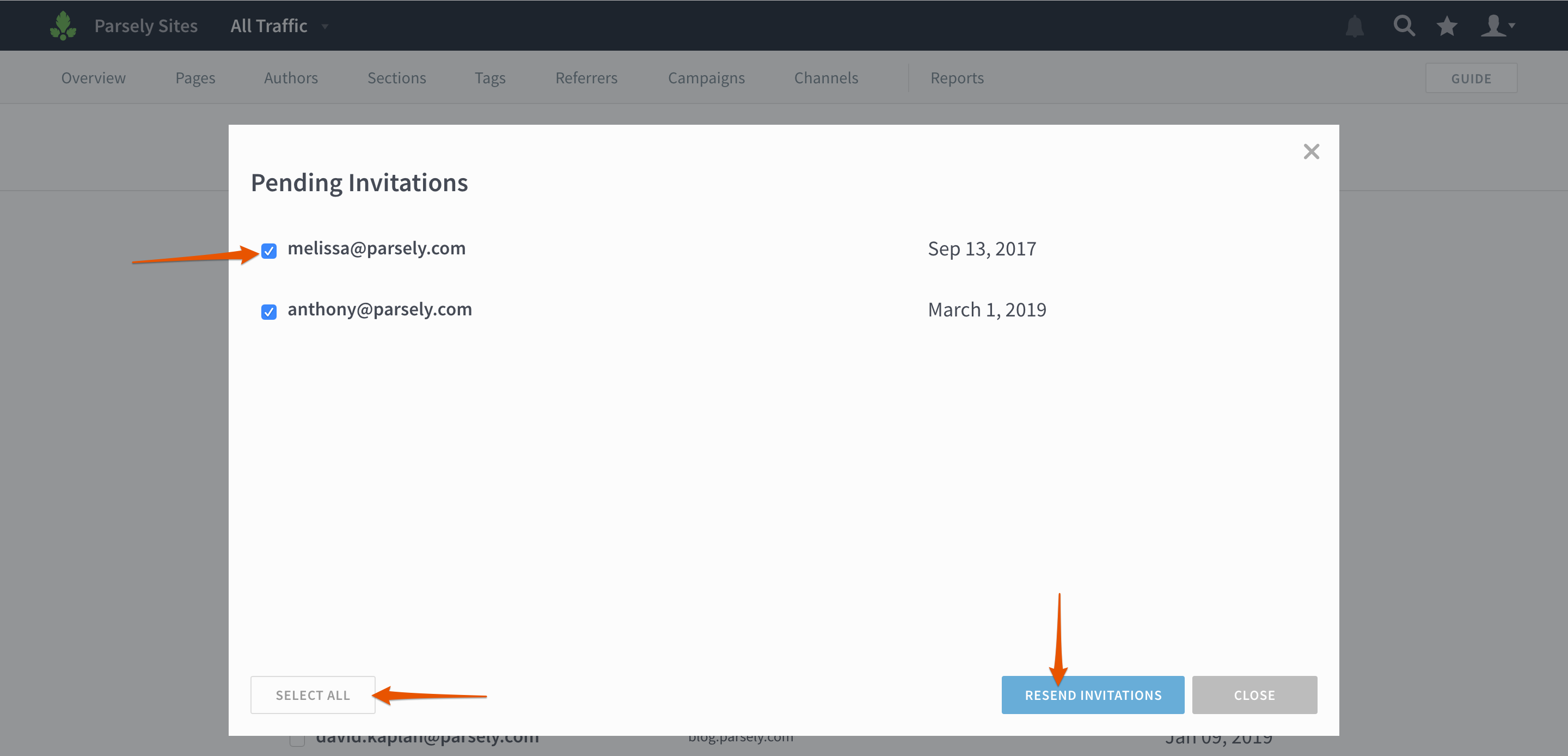
On the Users page, click Showing Pending Invitations. (If there are no pending invitations, this button won’t appear!)

You’ll then see a list of pending invitations. Check the boxes next to individual users or click Select All to bulk invite. Click Resend Invitations, and you’re done!
Network users
Network admins can now create “network users.” This is useful if you operate a large network of sites and want to grant users access to all current and future sites.
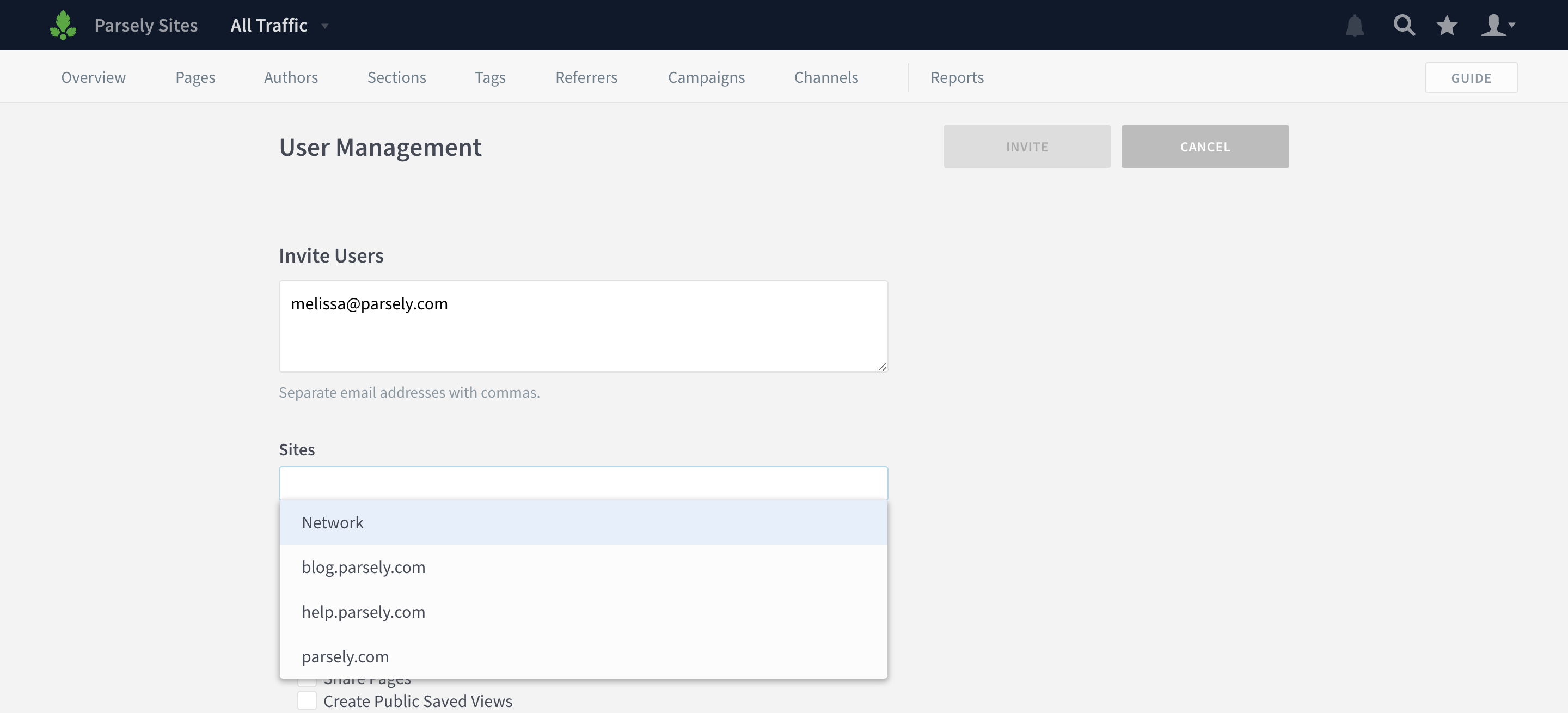
From the network-level Users page (tip: if you see “All Traffic” in the top left corner, you’re on the network level), click Invite Users.

Type in a list of user email addresses and select Network from the Sites dropdown.
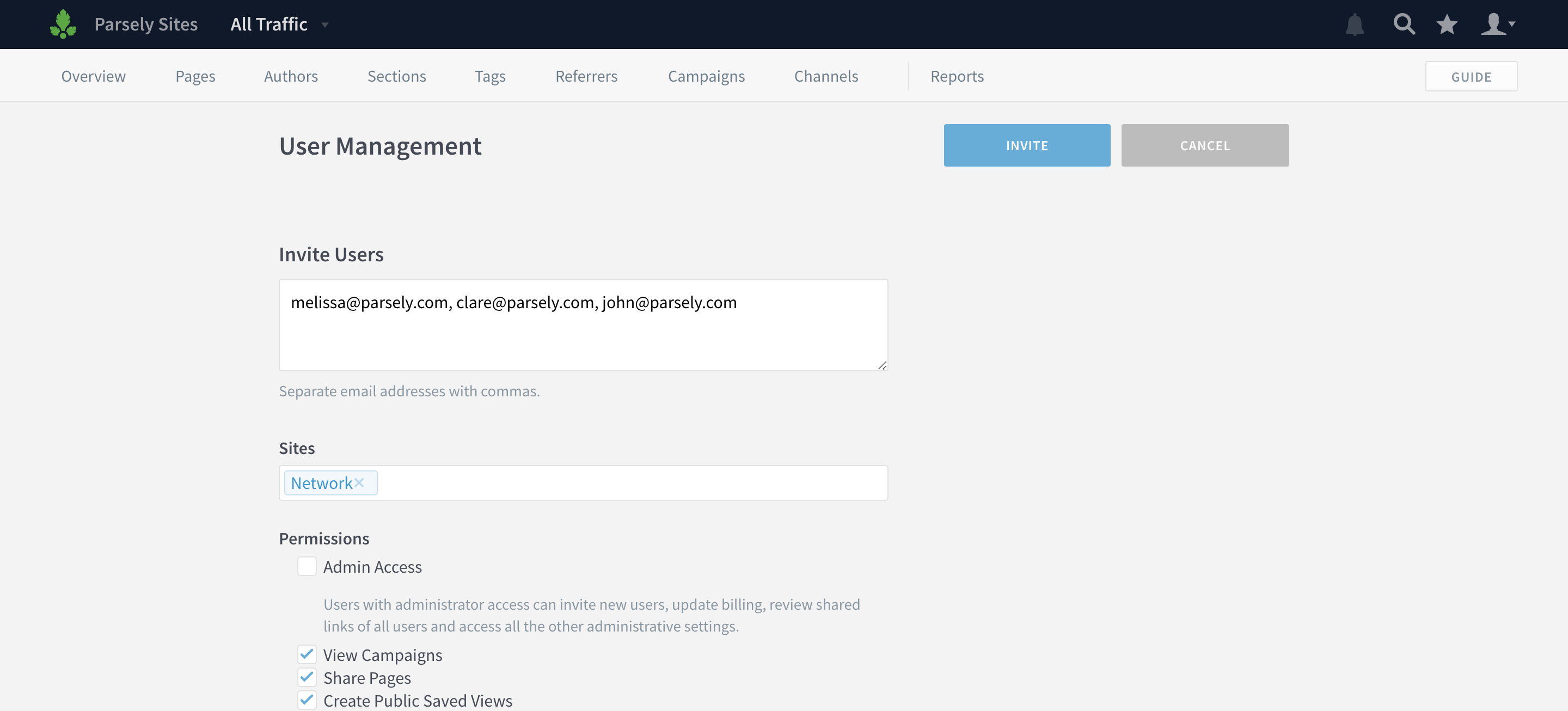
You can create multiple network users at once, and assign them specific permissions on the network-level. Click Invite when you’re finished.
Last updated: September 17, 2025