Product update: March 11, 2020
Beta feature: Benchmark authors, sections, and tags
Benchmarks is a new beta feature for comparing performance. It’s for folks who regularly ask questions like “What are the growth opportunities for me or my team?” or “How can we make our content strategy more efficient?”
Read the announcement to learn more about how to use Benchmarks.
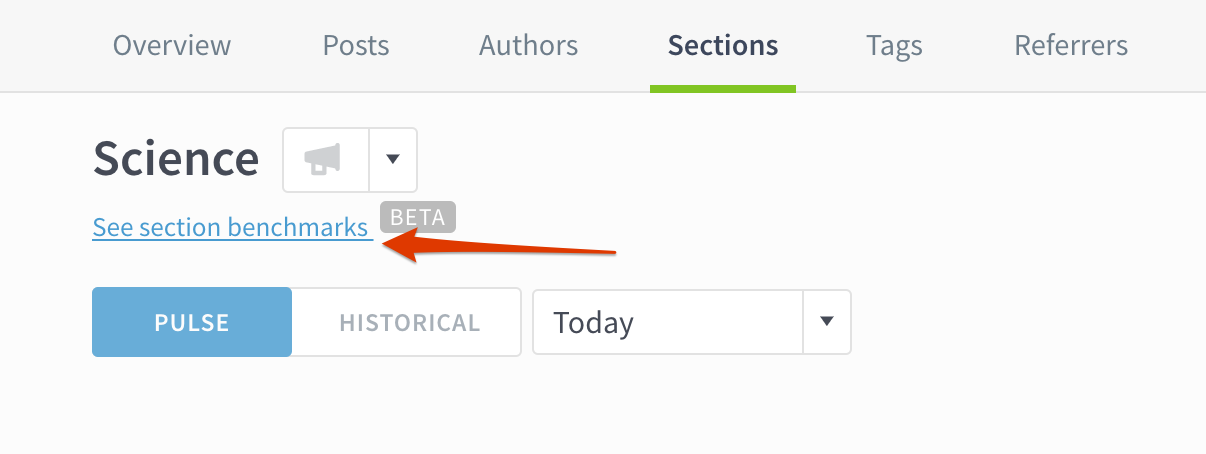
To begin comparing performance, go to an author, section, or tag details page:
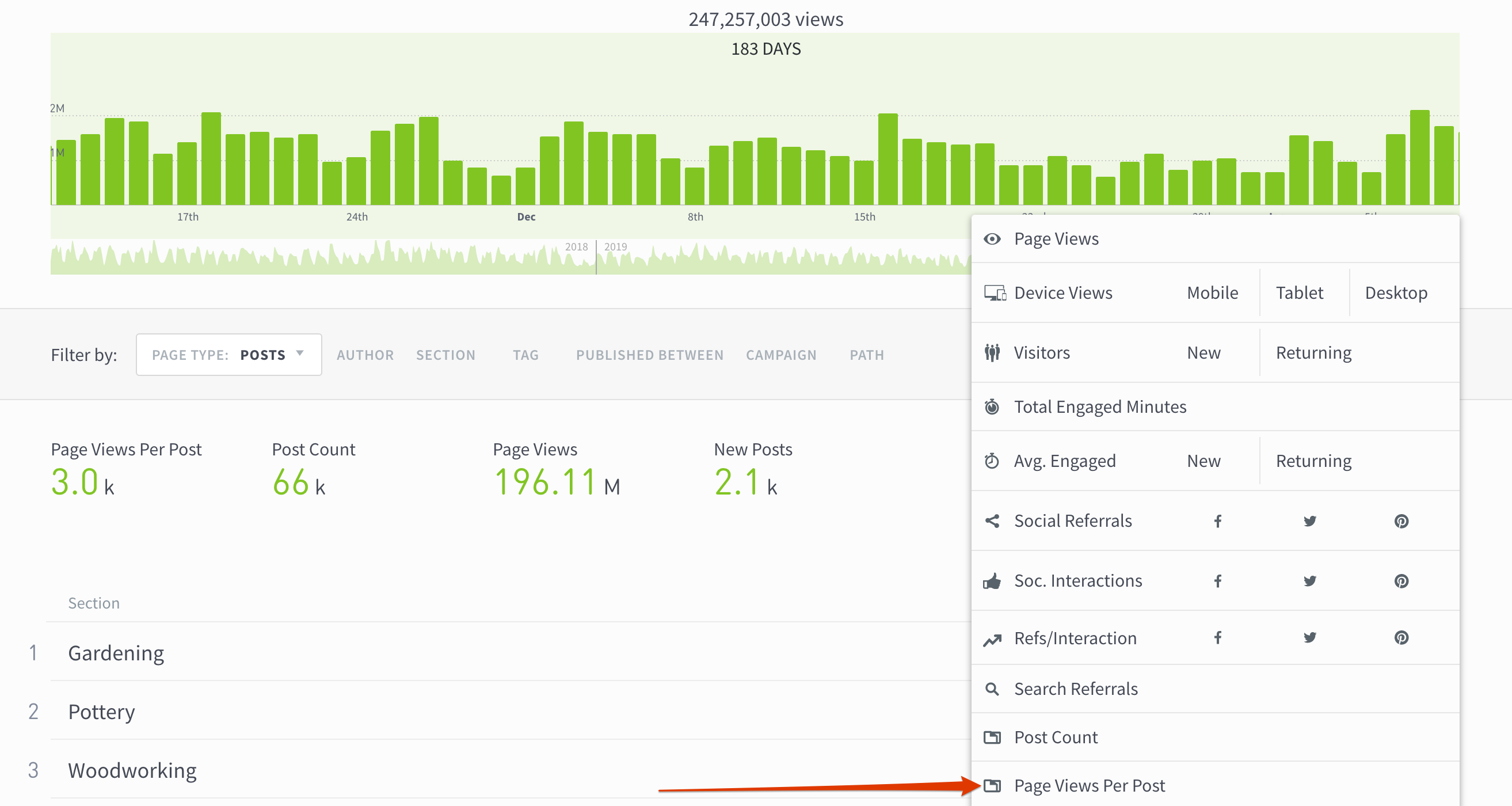
Sort by page views per post
See which authors, sections, and tags are most efficient at getting page views. For instance, sorting by page views per post on a tag listings page might suggest writing more about content topics that have many page views per post, but fewer posts overall.
Audience segments for multiple sites
Now you can segment audiences across all the sites in your network. If you’re using a segment to track “Registered Users” to your help site, blog, and main site in Parse.ly, you can now see”Registered Users” to all three sites from one place. Reach out to your Parse.ly account representative or email us at hello@parsely.com for more info.
Control user access to audience segments
Admins can now control which users have permissions to see audience segments in the Parse.ly dashboard.
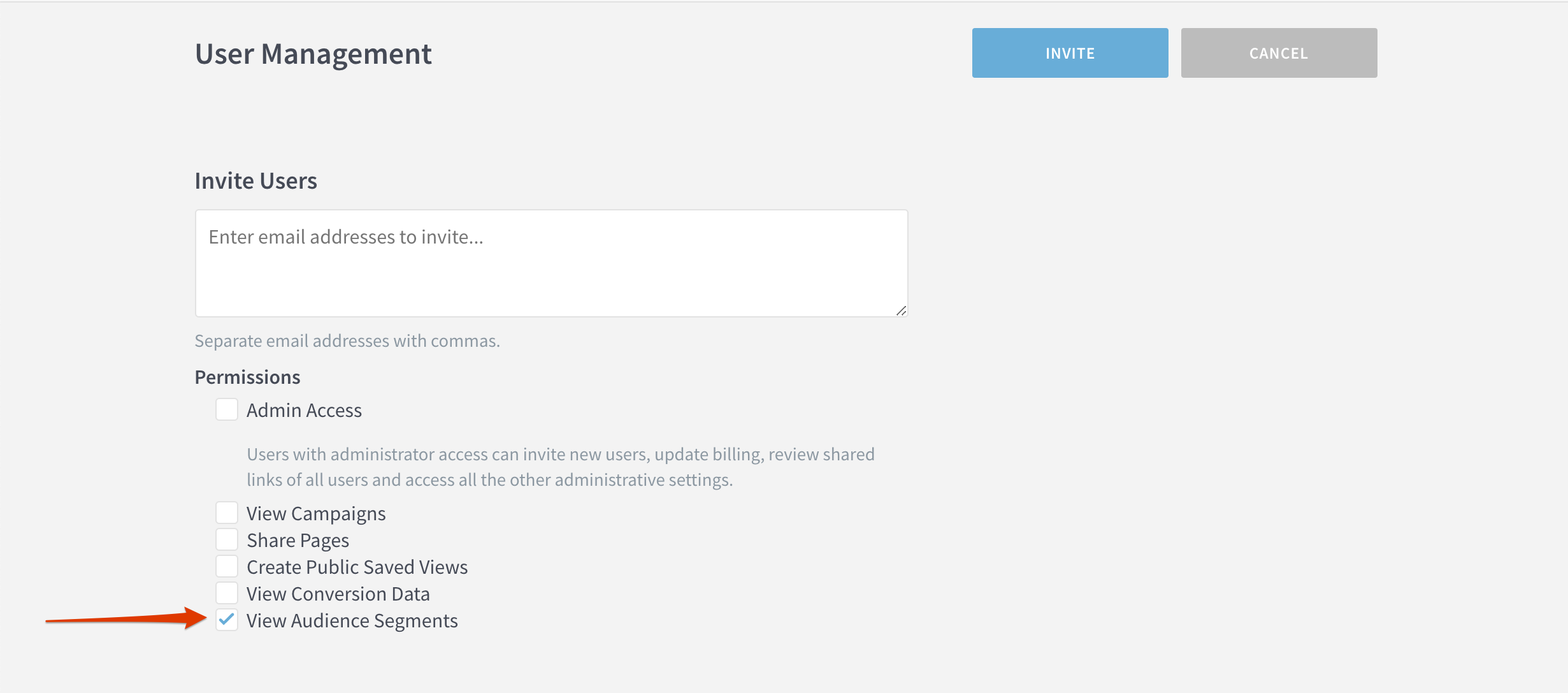
When inviting new users from the User Management page, check the “View Audience Segments” box to give them permission to see audience segments.
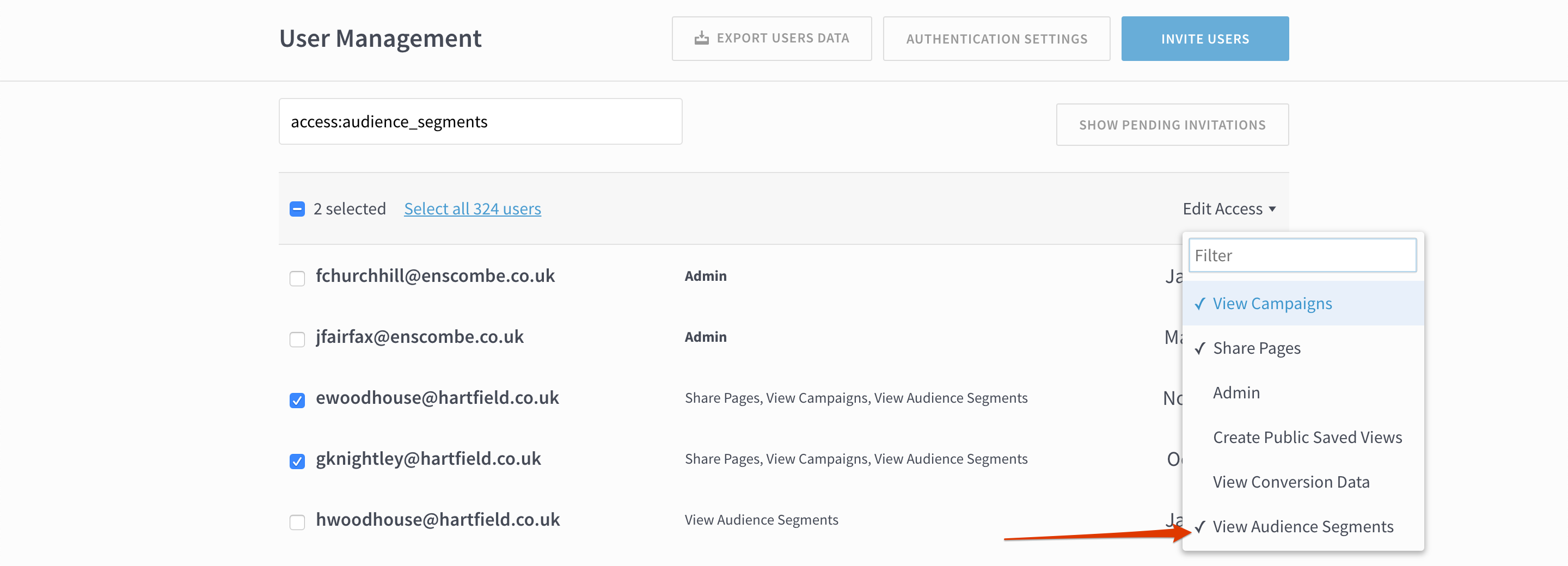
To give existing users permission, go to the User Management page, select the appropriate users, click Edit Access and select “View Audience Segments.”
Last updated: September 17, 2025