Product update: July 12, 2024
Video metrics are now available on the Overview page
In addition to easily tracking page views or conversions at a glance, you can now easily see how your videos are performing.
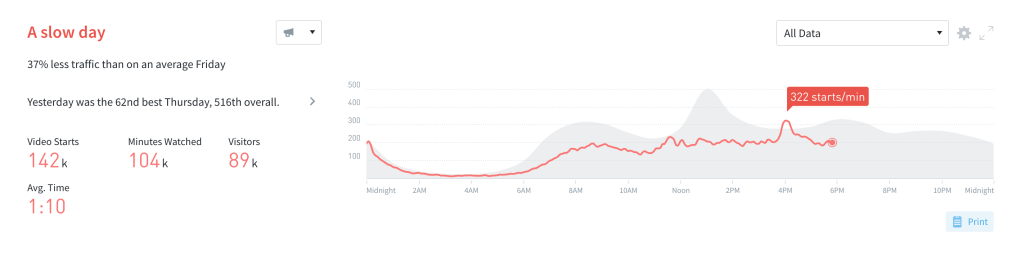
To enable this view, go to Overview settings (the cogwheel in the top right corner), click “Summary & Timeline”, and then choose your “Timeline Metric”.
Last updated: September 17, 2025