Product update: November 20, 2019
Measure native iOS and Android app traffic
It’s Parse.ly’s mission to help you understand your audience no matter where your content lives. You can now easily see what content gets the most engagement on your native iOS and Android apps.
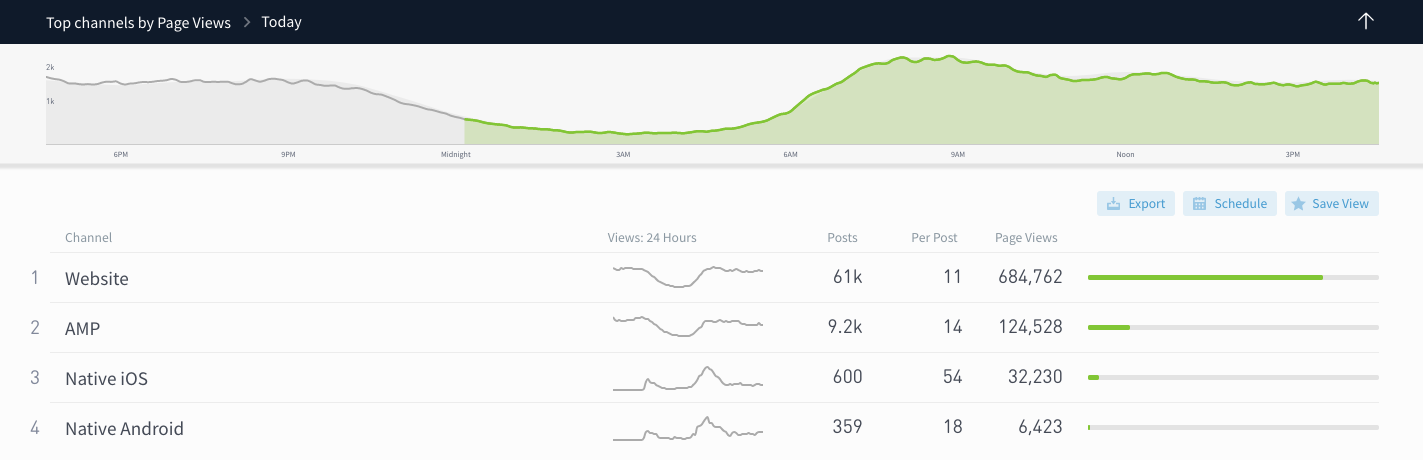
On the Channels page, compare native iOS and Android traffic to other channels to get an idea of where your audience is distributed.
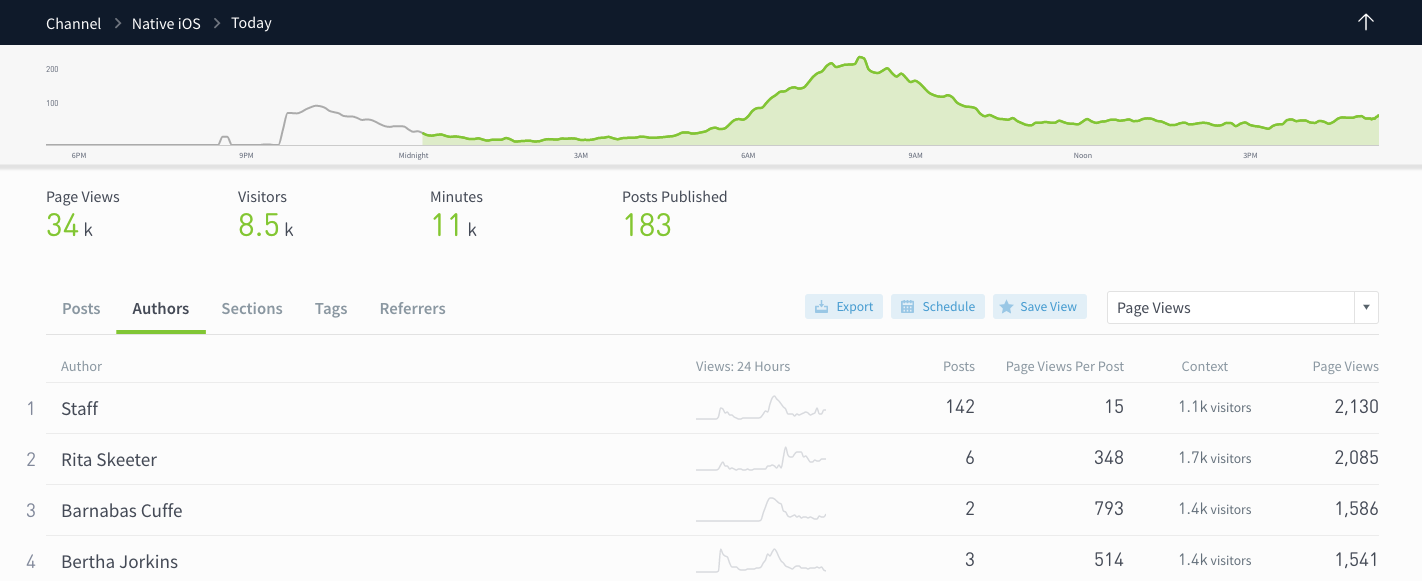
Clicking on Native iOS or Native Android takes you to a details page for the specific channel, where you can drill down into what posts, authors, sections, and tags resonate most with your mobile app users.
A few notes for customers who already have integrated Parse.ly’s iOS and Android SDKs:
- Your app traffic should show up on the Channels page automatically. You will see data populated in these channels from November 12, 2019 moving forward.
- Did you know our SDKs support engaged time tracking? If engaged minutes are showing as 0, be sure to upgrade to the latest Parse.ly SDK.
If you haven’t yet set up app tracking in Parse.ly, learn more about how to get started by emailing us.
Compare audience segments
We’ve given audience segments a home, under their very own tab.
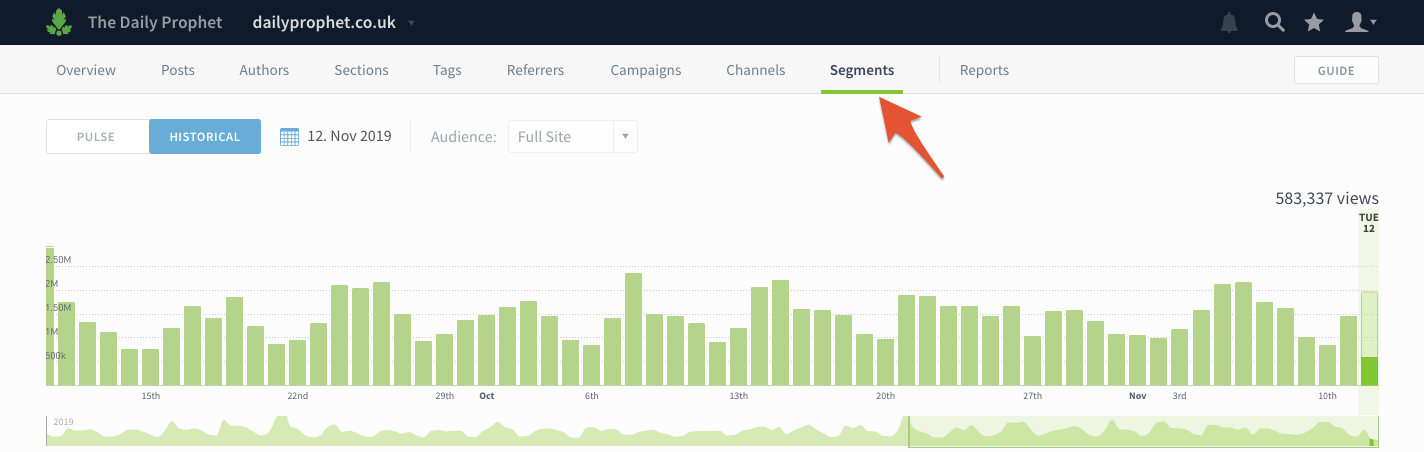
You can now easily compare how traffic for segments varies without clicking back and forth between filtered views.
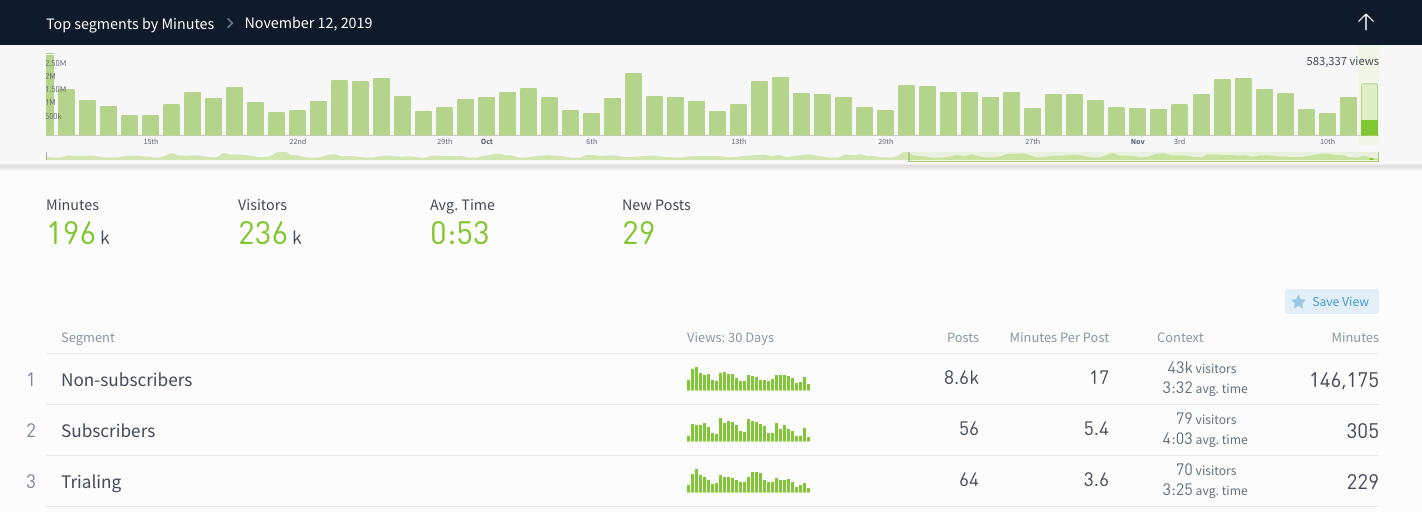
Click on a segment to see a details page with breakdowns of the most popular posts, sections, referrers, etc.
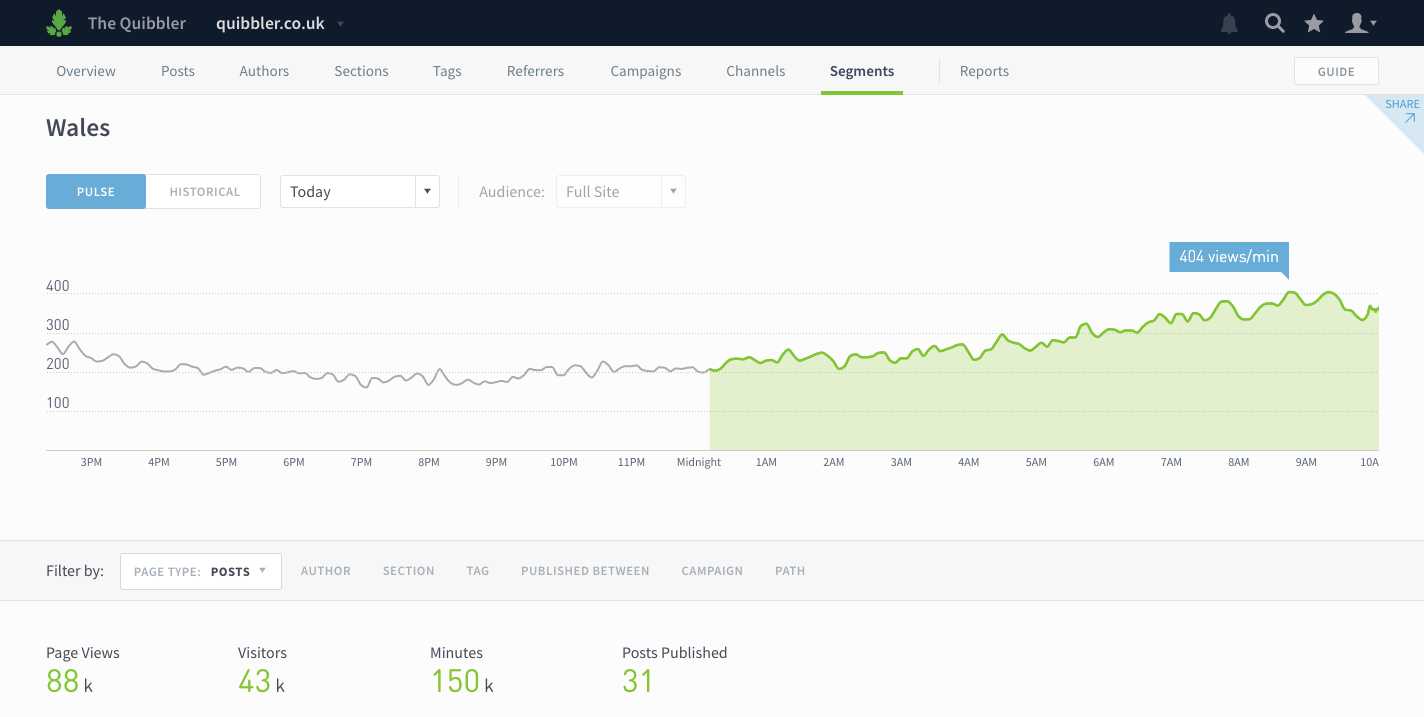
You can learn more about audience segments in this help doc.
Don’t have any segments set up? Send us an email to learn how you can use Parse.ly to segment by user type and geography.
Identify older posts doing well now
Your archive has heavy-hitters in it; you just have to find them. Answer questions like “What posts published more than 6 months ago are still bringing in traffic?” using the updated Published Between filter.
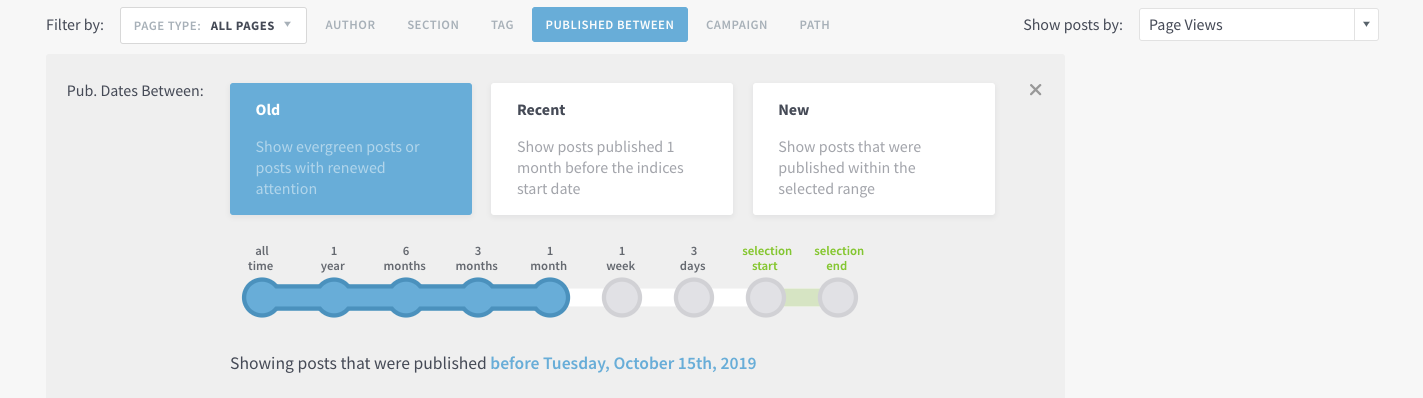
Click the Published Between filter and then click and drag to select the publish date range. You can also choose from preset options to answer these questions:
- What old posts are doing well?
- What recently published posts are doing well?
- What new posts are doing well?
We hope this change will make it easier for you to find those hidden gems in your archive that have the potential to become evergreen mainstays. Tip: use this filter while looking at top posts referred by Google to identify steady sources of SEO.
Filter by Page Type
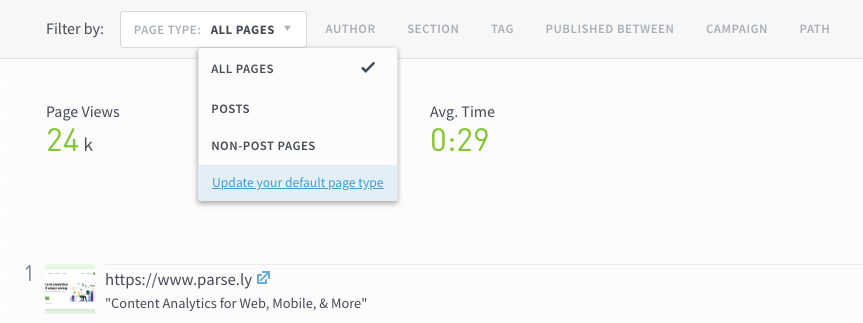
We’ve updated the look of one filter to make it clearer what page types you’re seeing. Selecting All Pages or Non-post Pages will reveal pages not classified as posts, like homepages, index pages, and product pages. Admins can choose their organization’s default page type on the Preferences page.
Last updated: September 17, 2025