Substack integration
Tracking
Adding the Parse.ly tracking code is easy to do on a Substack site.
- Locate your Parse.ly Site ID, e.g.,
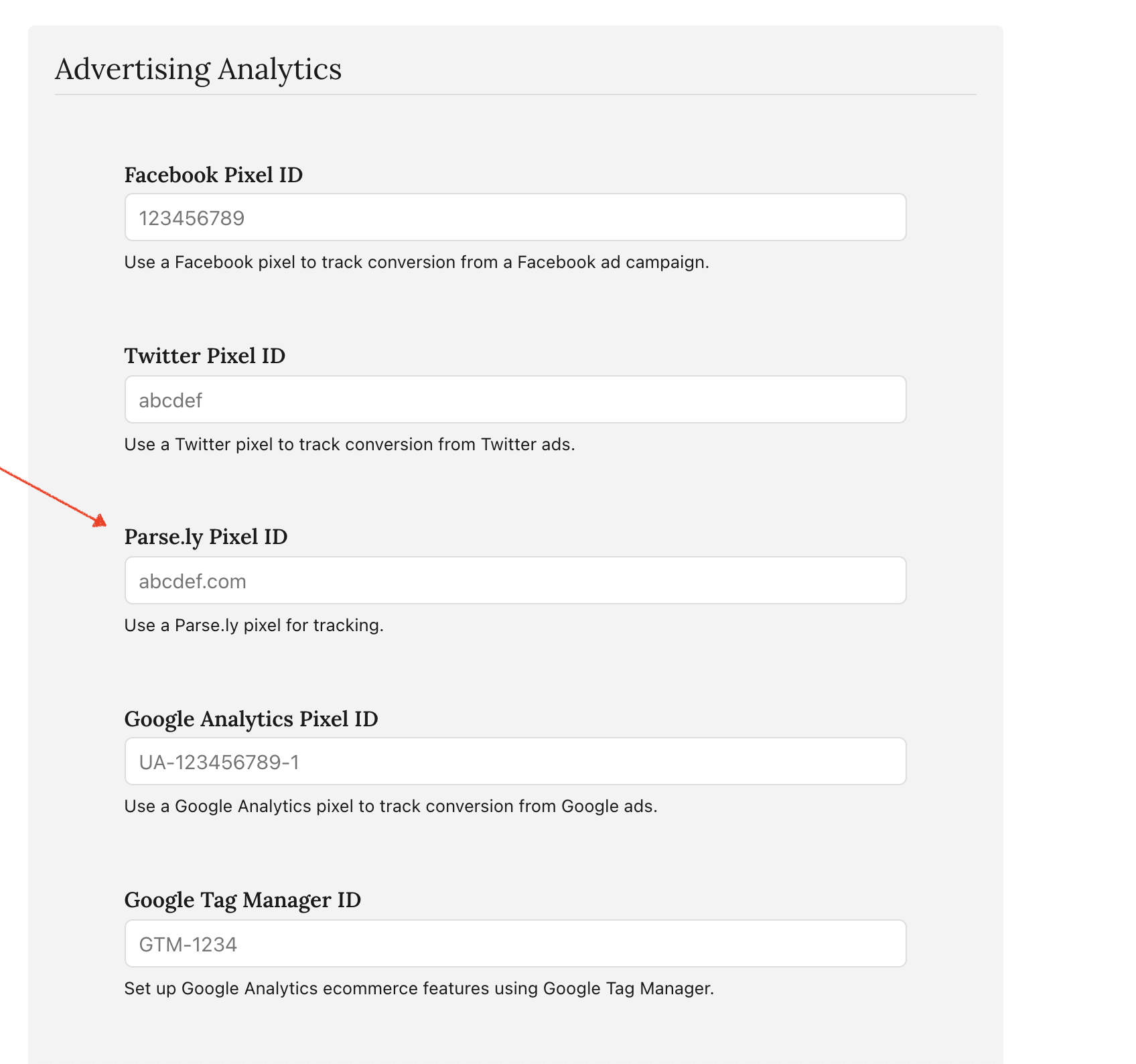
example.com - In Substack, navigate to your publication’s Settings page and scroll to the Analytics section.
- In the Parse.ly Pixel ID field, enter your Parse.ly Site ID and click “Save”.
Metadata
Substack automatically produces Parse.ly-supported metadata in the form of JSON-LD.
To add tags to your content, follow the Substack documentation.
Substack does not produce articleSection values. Parse.ly will render the section value as Uncategorized. To hide this unused aspect from the Parse.ly Dashboard, edit the Enabled Aspects in your Dashboard Preferences.
Testing
Following setup, verify the installation of the tracking code by looking for page view events and check your metadata.
Last updated: August 07, 2026